> ## Documentation Index
> Fetch the complete documentation index at: https://second.tech/docs/llms.txt
> Use this file to discover all available pages before exploring further.
# Integrate Bark Pay with your app
> Connect your app to Bark Pay: create an API key, open a checkout session from your server, verify webhook signatures, and fulfill orders when a charge is paid.
Build against test mode first, where `sk_test_` keys reach the signet wallet. The **Developers** > **Quickstart** page runs the three steps below against it.
## Create an API key
Use the switch in the sidebar footer. A key belongs to the mode you created it in: `sk_test_` keys reach the signet wallet, `sk_live_` keys reach the mainnet wallet. See [test mode](/docs/bark-pay/settings#switch-between-live-and-test-mode).
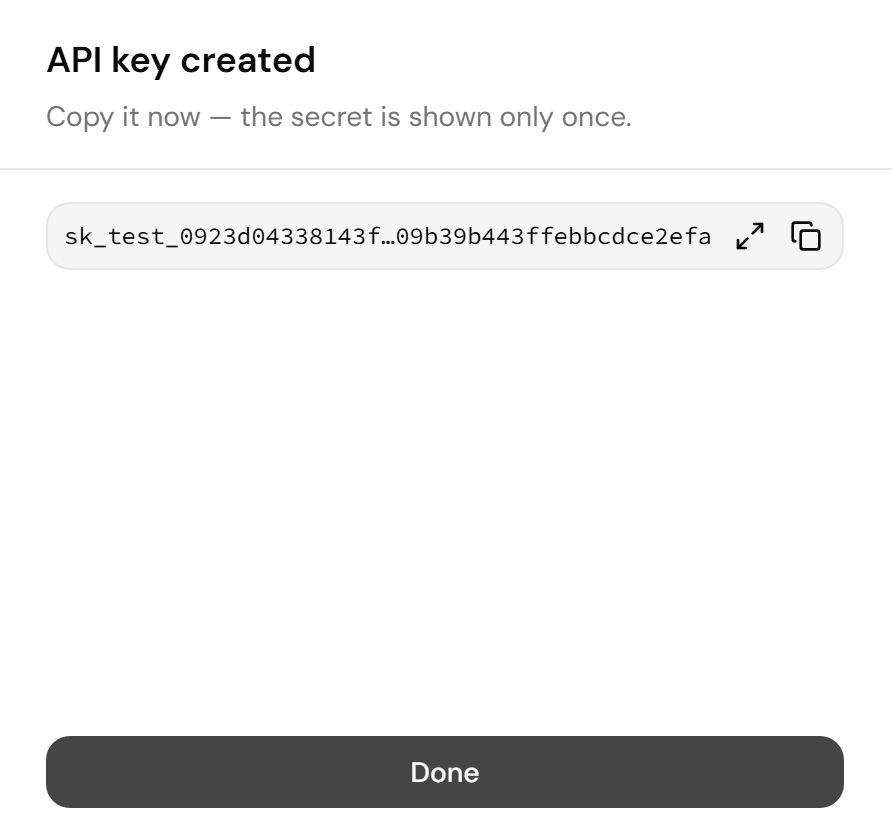
Copy the key now. The dashboard shows it once, so store it like a password.
 To retire a key, select **Revoke** on its row, then **Revoke key**. Every integration using it stops working immediately.
## Create a checkout session
Send the key as a bearer token. In the snippets below, replace `pay.example.com` with your Bark Pay domain, `sk_test_...` with your secret key, and the `myshop.example` URLs with your own. The `Idempotency-Key` header makes a retried request return the same session instead of creating a second charge. Bark Pay stores every key and replays the first response, even after that session expires. Use a new key for each checkout attempt, for example the order ID plus an attempt number.
```bash curl theme={"theme":{"light":"github-light","dark":"github-dark"}}
curl -X POST https://pay.example.com/v1/checkout/sessions \
-H "Authorization: Bearer sk_test_..." \
-H "Content-Type: application/json" \
-H "Idempotency-Key: order-1234-1" \
-d '{
"amountSat": 1000,
"description": "Order #1234",
"reference": "order-1234",
"successUrl": "https://myshop.example/thanks",
"cancelUrl": "https://myshop.example/cart"
}'
```
```js Node theme={"theme":{"light":"github-light","dark":"github-dark"}}
const res = await fetch("https://pay.example.com/v1/checkout/sessions", {
method: "POST",
headers: {
Authorization: "Bearer sk_test_...",
"Content-Type": "application/json",
"Idempotency-Key": `${orderId}-${attempt}`, // one key per checkout attempt
},
body: JSON.stringify({
amountSat: 1000,
description: "Order #1234",
reference: orderId,
successUrl: "https://myshop.example/thanks",
cancelUrl: "https://myshop.example/cart",
}),
});
const session = await res.json();
// redirect the customer to session.url
```
Redirect your customer to `url` in the response:
```json Response theme={"theme":{"light":"github-light","dark":"github-dark"}}
{
"object": "checkout_session",
"id": "cs_0123456789abcdef01234567",
"chargeId": "ch_9f1c2b3a4d5e6f708192a3b4",
"url": "https://pay.example.com/c/cs_0123456789abcdef01234567",
"successUrl": "https://myshop.example/thanks",
"cancelUrl": "https://myshop.example/cart",
"customerEmail": null,
"status": "open",
"createdAt": 1789000000,
"charge": { "object": "charge", "id": "ch_9f1c2b3a4d5e6f708192a3b4", "status": "pending", "amountSat": 1000, "...": "..." }
}
```
The request body accepts these fields:
| Field | Type | Description |
| - | - | - |
| `amountSat` | integer | Amount in sats. Provide either `amountSat`, or `amount` with `currency`. |
| `amount` | number | Amount in fiat. Bark Pay converts it to sats at the current Kraken rate and locks that rate on the charge. |
| `currency` | string | `usd`, `eur`, or `gbp`. Required with `amount`. |
| `description` | string | Shown to your customer at checkout. Up to 500 characters. |
| `reference` | string | Your own identifier, for example an order number. Up to 200 characters. Bark Pay returns it in webhooks. |
| `rails` | string\[] | Restrict the payment methods: any of `lightning`, `ark`, `onchain`. Omit to offer every method that fits the amount. |
| `expiresIn` | integer | Seconds before the charge expires. Defaults to the **Invoice TTL** in [Settings](/docs/bark-pay/settings#charge-defaults). At most 86,400. |
| `successUrl` | string | Where the hosted page sends your customer after payment. Must be `http` or `https`. |
| `cancelUrl` | string | Where the **Return** link on an expired or cancelled page points. Must be `http` or `https`. |
| `customerEmail` | string | Stored on the session for your records. |
| `metadata` | object | Free-form JSON, returned in the charge object and in webhooks. |
To render your own checkout instead of the hosted page, call `POST /v1/charges` with the same fields except `successUrl`, `cancelUrl`, and `customerEmail`. The charge object carries a `rails` array with the Lightning invoice, Ark address, and on-chain address. It also carries a `clientSecret`, which your browser code sends as an `X-Client-Secret` header to poll `GET /v1/charges/{id}/status`.
## Listen for webhooks
Fulfill orders from the `charge.paid` and `charge.overpaid` webhooks, never from your customer landing on your success URL. A customer can skip, replay, or forge that redirect.
Bark Pay refuses to deliver to local and private addresses, so use a tunnel such as cloudflared or ngrok during development.
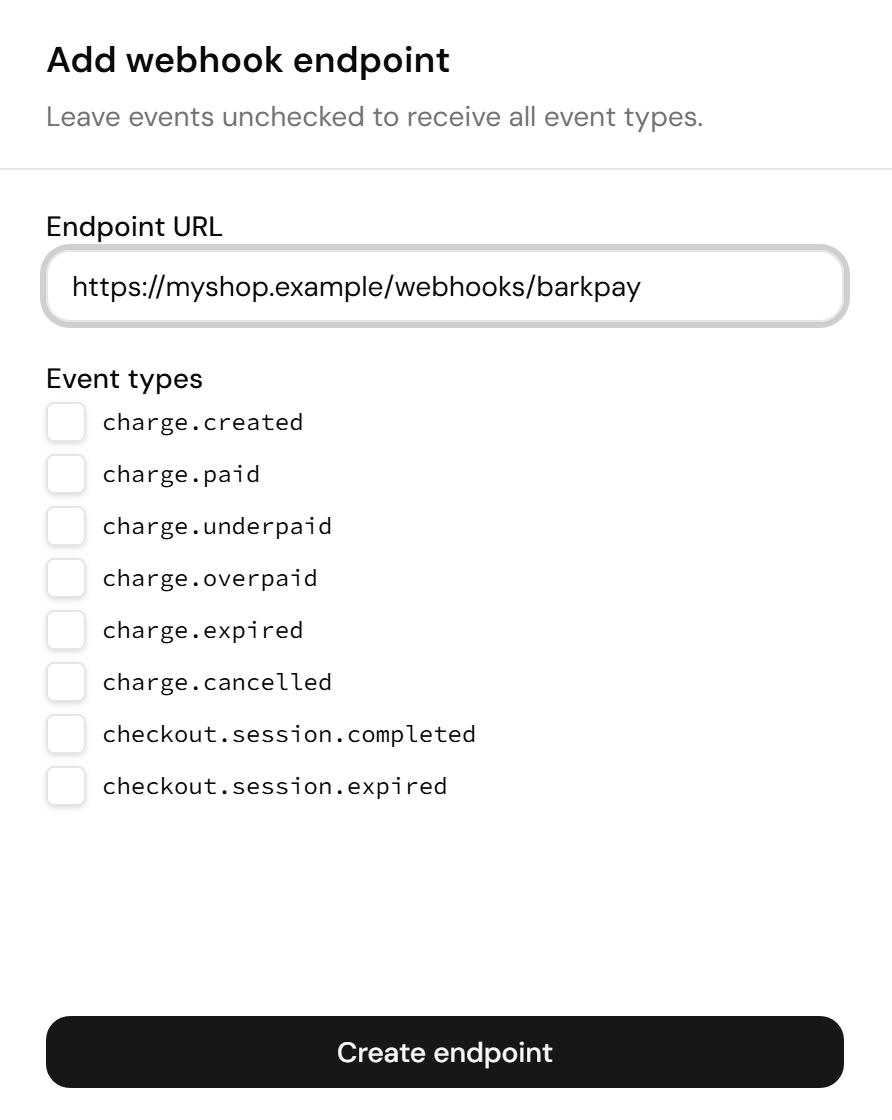
Copy the signing secret now. The dashboard shows it once. To change it later, delete the endpoint and create a new one.
To retire a key, select **Revoke** on its row, then **Revoke key**. Every integration using it stops working immediately.
## Create a checkout session
Send the key as a bearer token. In the snippets below, replace `pay.example.com` with your Bark Pay domain, `sk_test_...` with your secret key, and the `myshop.example` URLs with your own. The `Idempotency-Key` header makes a retried request return the same session instead of creating a second charge. Bark Pay stores every key and replays the first response, even after that session expires. Use a new key for each checkout attempt, for example the order ID plus an attempt number.
```bash curl theme={"theme":{"light":"github-light","dark":"github-dark"}}
curl -X POST https://pay.example.com/v1/checkout/sessions \
-H "Authorization: Bearer sk_test_..." \
-H "Content-Type: application/json" \
-H "Idempotency-Key: order-1234-1" \
-d '{
"amountSat": 1000,
"description": "Order #1234",
"reference": "order-1234",
"successUrl": "https://myshop.example/thanks",
"cancelUrl": "https://myshop.example/cart"
}'
```
```js Node theme={"theme":{"light":"github-light","dark":"github-dark"}}
const res = await fetch("https://pay.example.com/v1/checkout/sessions", {
method: "POST",
headers: {
Authorization: "Bearer sk_test_...",
"Content-Type": "application/json",
"Idempotency-Key": `${orderId}-${attempt}`, // one key per checkout attempt
},
body: JSON.stringify({
amountSat: 1000,
description: "Order #1234",
reference: orderId,
successUrl: "https://myshop.example/thanks",
cancelUrl: "https://myshop.example/cart",
}),
});
const session = await res.json();
// redirect the customer to session.url
```
Redirect your customer to `url` in the response:
```json Response theme={"theme":{"light":"github-light","dark":"github-dark"}}
{
"object": "checkout_session",
"id": "cs_0123456789abcdef01234567",
"chargeId": "ch_9f1c2b3a4d5e6f708192a3b4",
"url": "https://pay.example.com/c/cs_0123456789abcdef01234567",
"successUrl": "https://myshop.example/thanks",
"cancelUrl": "https://myshop.example/cart",
"customerEmail": null,
"status": "open",
"createdAt": 1789000000,
"charge": { "object": "charge", "id": "ch_9f1c2b3a4d5e6f708192a3b4", "status": "pending", "amountSat": 1000, "...": "..." }
}
```
The request body accepts these fields:
| Field | Type | Description |
| - | - | - |
| `amountSat` | integer | Amount in sats. Provide either `amountSat`, or `amount` with `currency`. |
| `amount` | number | Amount in fiat. Bark Pay converts it to sats at the current Kraken rate and locks that rate on the charge. |
| `currency` | string | `usd`, `eur`, or `gbp`. Required with `amount`. |
| `description` | string | Shown to your customer at checkout. Up to 500 characters. |
| `reference` | string | Your own identifier, for example an order number. Up to 200 characters. Bark Pay returns it in webhooks. |
| `rails` | string\[] | Restrict the payment methods: any of `lightning`, `ark`, `onchain`. Omit to offer every method that fits the amount. |
| `expiresIn` | integer | Seconds before the charge expires. Defaults to the **Invoice TTL** in [Settings](/docs/bark-pay/settings#charge-defaults). At most 86,400. |
| `successUrl` | string | Where the hosted page sends your customer after payment. Must be `http` or `https`. |
| `cancelUrl` | string | Where the **Return** link on an expired or cancelled page points. Must be `http` or `https`. |
| `customerEmail` | string | Stored on the session for your records. |
| `metadata` | object | Free-form JSON, returned in the charge object and in webhooks. |
To render your own checkout instead of the hosted page, call `POST /v1/charges` with the same fields except `successUrl`, `cancelUrl`, and `customerEmail`. The charge object carries a `rails` array with the Lightning invoice, Ark address, and on-chain address. It also carries a `clientSecret`, which your browser code sends as an `X-Client-Secret` header to poll `GET /v1/charges/{id}/status`.
## Listen for webhooks
Fulfill orders from the `charge.paid` and `charge.overpaid` webhooks, never from your customer landing on your success URL. A customer can skip, replay, or forge that redirect.
Bark Pay refuses to deliver to local and private addresses, so use a tunnel such as cloudflared or ngrok during development.
Copy the signing secret now. The dashboard shows it once. To change it later, delete the endpoint and create a new one.
 Each endpoint row carries four actions:
* **Test:** Sends a signed `webhook.test` event.
* **Deliveries:** Lists each event sent to the endpoint, with its status, number of attempts, and last response code.
* **Disable:** Stops delivery without deleting the endpoint. Events that fire while it's disabled never reach it, even after you select **Enable**, so fetch them with `GET /v1/events`.
* **Delete:** Removes the endpoint.
### Verify the signature
Every delivery carries a `Bark-Signature` header. The scheme matches Stripe's, so a Stripe verifier works if you pass it this header's value. Verify the raw body before parsing it, replacing `whsec_...` with the signing secret you copied and `/webhooks/barkpay` with your own path:
```js server.js theme={"theme":{"light":"github-light","dark":"github-dark"}}
import { createHmac, timingSafeEqual } from "node:crypto";
import express from "express";
const SECRET = "whsec_...";
const app = express();
function verify(header, rawBody, toleranceSec = 300) {
const parts = Object.fromEntries(
header.split(",").map((p) => p.split("=", 2))
);
const t = Number(parts.t);
if (!parts.v1 || Math.abs(Date.now() / 1000 - t) > toleranceSec) {
return false;
}
const expected = createHmac("sha256", SECRET)
.update(`${parts.t}.${rawBody}`)
.digest("hex");
const a = Buffer.from(expected);
const b = Buffer.from(parts.v1);
return a.length === b.length && timingSafeEqual(a, b);
}
// raw body required: express.json() would break the HMAC
app.post("/webhooks/barkpay", express.raw({ type: "*/*" }), (req, res) => {
const raw = req.body.toString("utf8");
if (!verify(req.header("Bark-Signature") ?? "", raw)) {
return res.status(400).send("bad signature");
}
const event = JSON.parse(raw);
// dedupe by event.id: retries and ordering are not guaranteed
const charge = event.data.object;
const paid = ["paid", "paid_late", "overpaid"].includes(charge.status);
if ((event.type === "charge.paid" || event.type === "charge.overpaid") && paid) {
// fulfill the order for charge.reference, once per charge.id
}
res.sendStatus(200); // non-2xx means Bark Pay retries with backoff
});
```
### Handle each event type
The body carries the event `id`, `type`, `livemode`, `created`, and `data.object`, the charge or checkout session as it was after the event:
| Event | When Bark Pay sends it |
| - | - |
| `charge.created` | Bark Pay created a charge. |
| `charge.paid` | The full amount arrived, before or after expiry. For an on-chain payment, Bark Pay sends it once the transaction has one confirmation. |
| `charge.underpaid` | Less than the amount arrived. The payment methods stay open for a top-up until the charge expires. |
| `charge.overpaid` | More than the amount arrived, including an extra payment on a paid charge. Any payment to a cancelled charge also sends it. The charge stays `cancelled`. |
| `charge.expired` | The charge expired without receiving anything. |
| `charge.cancelled` | Your server cancelled the charge through the API. |
| `checkout.session.completed` | Your customer paid the session's charge in full while the session was open. |
| `checkout.session.expired` | The session's charge expired, or your server cancelled it. |
Charge events carry the charge's status in `data.object.status`. See [Follow a charge's status](/docs/bark-pay/charges#follow-a-charges-status) for what each one means.
### Recover from a failed delivery
Answer with a 2xx status within 10 seconds. Bark Pay tries each delivery up to 12 times, backing off from 10 seconds to 2 hours, then gives up.
Process events idempotently by `event.id`. If your endpoint was down, select **Resend** on the **Deliveries** sheet, or fetch what you missed with `GET /v1/events` and your secret key.
## Cancel a charge
Cancel a pending or underpaid charge from your server. Replace `ch_...` with the charge ID:
```bash theme={"theme":{"light":"github-light","dark":"github-dark"}}
curl -X POST https://pay.example.com/v1/charges/ch_.../cancel \
-H "Authorization: Bearer sk_test_..."
```
The response is the charge with status `cancelled`.
## Read and list charges
* `GET /v1/charges/{id}` returns one charge.
* `GET /v1/charges` lists charges newest first, with `status`, `limit` (up to 100), and `starting_after` (a charge ID) as query parameters. The response has `data` and `hasMore`.
Errors come back as `{ "error": { "type": "api_error", "code": "...", "message": "...", "param": "..." } }`.
This documentation is built and hosted on [Mintlify](https://mintlify.com), a developer documentation platform.
Each endpoint row carries four actions:
* **Test:** Sends a signed `webhook.test` event.
* **Deliveries:** Lists each event sent to the endpoint, with its status, number of attempts, and last response code.
* **Disable:** Stops delivery without deleting the endpoint. Events that fire while it's disabled never reach it, even after you select **Enable**, so fetch them with `GET /v1/events`.
* **Delete:** Removes the endpoint.
### Verify the signature
Every delivery carries a `Bark-Signature` header. The scheme matches Stripe's, so a Stripe verifier works if you pass it this header's value. Verify the raw body before parsing it, replacing `whsec_...` with the signing secret you copied and `/webhooks/barkpay` with your own path:
```js server.js theme={"theme":{"light":"github-light","dark":"github-dark"}}
import { createHmac, timingSafeEqual } from "node:crypto";
import express from "express";
const SECRET = "whsec_...";
const app = express();
function verify(header, rawBody, toleranceSec = 300) {
const parts = Object.fromEntries(
header.split(",").map((p) => p.split("=", 2))
);
const t = Number(parts.t);
if (!parts.v1 || Math.abs(Date.now() / 1000 - t) > toleranceSec) {
return false;
}
const expected = createHmac("sha256", SECRET)
.update(`${parts.t}.${rawBody}`)
.digest("hex");
const a = Buffer.from(expected);
const b = Buffer.from(parts.v1);
return a.length === b.length && timingSafeEqual(a, b);
}
// raw body required: express.json() would break the HMAC
app.post("/webhooks/barkpay", express.raw({ type: "*/*" }), (req, res) => {
const raw = req.body.toString("utf8");
if (!verify(req.header("Bark-Signature") ?? "", raw)) {
return res.status(400).send("bad signature");
}
const event = JSON.parse(raw);
// dedupe by event.id: retries and ordering are not guaranteed
const charge = event.data.object;
const paid = ["paid", "paid_late", "overpaid"].includes(charge.status);
if ((event.type === "charge.paid" || event.type === "charge.overpaid") && paid) {
// fulfill the order for charge.reference, once per charge.id
}
res.sendStatus(200); // non-2xx means Bark Pay retries with backoff
});
```
### Handle each event type
The body carries the event `id`, `type`, `livemode`, `created`, and `data.object`, the charge or checkout session as it was after the event:
| Event | When Bark Pay sends it |
| - | - |
| `charge.created` | Bark Pay created a charge. |
| `charge.paid` | The full amount arrived, before or after expiry. For an on-chain payment, Bark Pay sends it once the transaction has one confirmation. |
| `charge.underpaid` | Less than the amount arrived. The payment methods stay open for a top-up until the charge expires. |
| `charge.overpaid` | More than the amount arrived, including an extra payment on a paid charge. Any payment to a cancelled charge also sends it. The charge stays `cancelled`. |
| `charge.expired` | The charge expired without receiving anything. |
| `charge.cancelled` | Your server cancelled the charge through the API. |
| `checkout.session.completed` | Your customer paid the session's charge in full while the session was open. |
| `checkout.session.expired` | The session's charge expired, or your server cancelled it. |
Charge events carry the charge's status in `data.object.status`. See [Follow a charge's status](/docs/bark-pay/charges#follow-a-charges-status) for what each one means.
### Recover from a failed delivery
Answer with a 2xx status within 10 seconds. Bark Pay tries each delivery up to 12 times, backing off from 10 seconds to 2 hours, then gives up.
Process events idempotently by `event.id`. If your endpoint was down, select **Resend** on the **Deliveries** sheet, or fetch what you missed with `GET /v1/events` and your secret key.
## Cancel a charge
Cancel a pending or underpaid charge from your server. Replace `ch_...` with the charge ID:
```bash theme={"theme":{"light":"github-light","dark":"github-dark"}}
curl -X POST https://pay.example.com/v1/charges/ch_.../cancel \
-H "Authorization: Bearer sk_test_..."
```
The response is the charge with status `cancelled`.
## Read and list charges
* `GET /v1/charges/{id}` returns one charge.
* `GET /v1/charges` lists charges newest first, with `status`, `limit` (up to 100), and `starting_after` (a charge ID) as query parameters. The response has `data` and `hasMore`.
Errors come back as `{ "error": { "type": "api_error", "code": "...", "message": "...", "param": "..." } }`.
This documentation is built and hosted on [Mintlify](https://mintlify.com), a developer documentation platform.