> ## Documentation Index
> Fetch the complete documentation index at: https://second.tech/docs/llms.txt
> Use this file to discover all available pages before exploring further.
# Manage your VTXOs
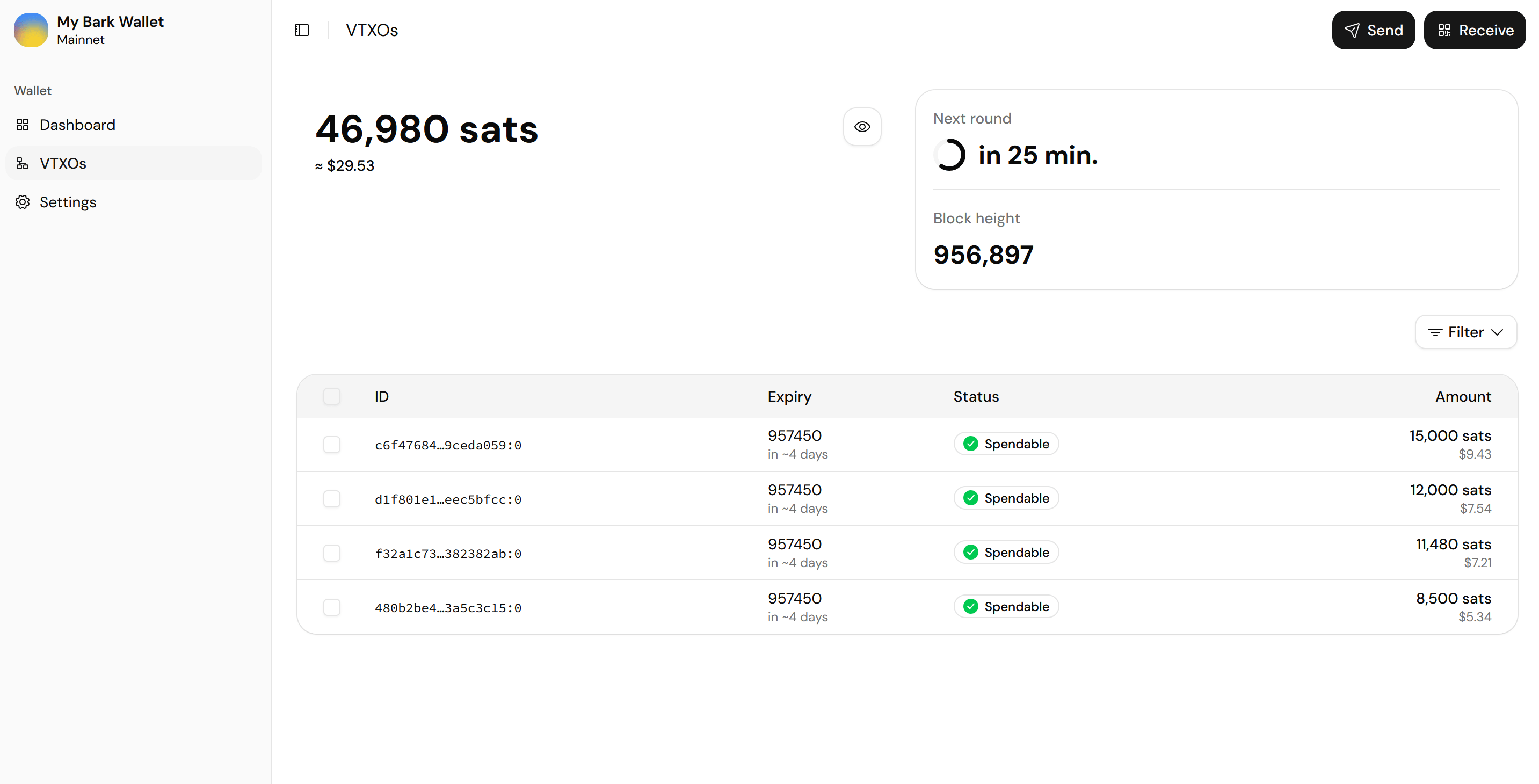
The **VTXOs** page, in the sidebar, lists the [VTXOs](/docs/learn/vtxo) that make up your off-chain balance.
A VTXO shows as **Spendable** most of its life, as locked while an operation uses it, and with its exit phase while an [emergency exit](/docs/bark-wallet/settings#danger-zone) is in progress. Spent VTXOs are hidden; the **Filter** menu can reveal exited ones.
 ## The wallet app refreshes VTXOs for you
VTXOs have a limited [lifetime](/docs/learn/lifetime), so they must be refreshed before expiry, and Bark Wallet does this for you. It automatically refreshes any VTXO whose remaining lifetime drops below the configured threshold, one day by default, which keeps automatic refreshes inside the free window.
You can raise the threshold, refresh every payment as it's received, or refresh everything at once from [settings](/docs/bark-wallet/settings#refresh-behavior).
The wallet app submits queued refreshes to [rounds](/docs/learn/rounds), which occur every hour; the countdown at the top of the page shows when the next one starts.
## Refresh, offboard, or exit selected VTXOs
Advanced users may sometimes want granular control over their VTXOs. For example, a user with a particularly large VTXO might prefer to refresh it before it reaches the threshold, or to bring its bitcoin on-chain.
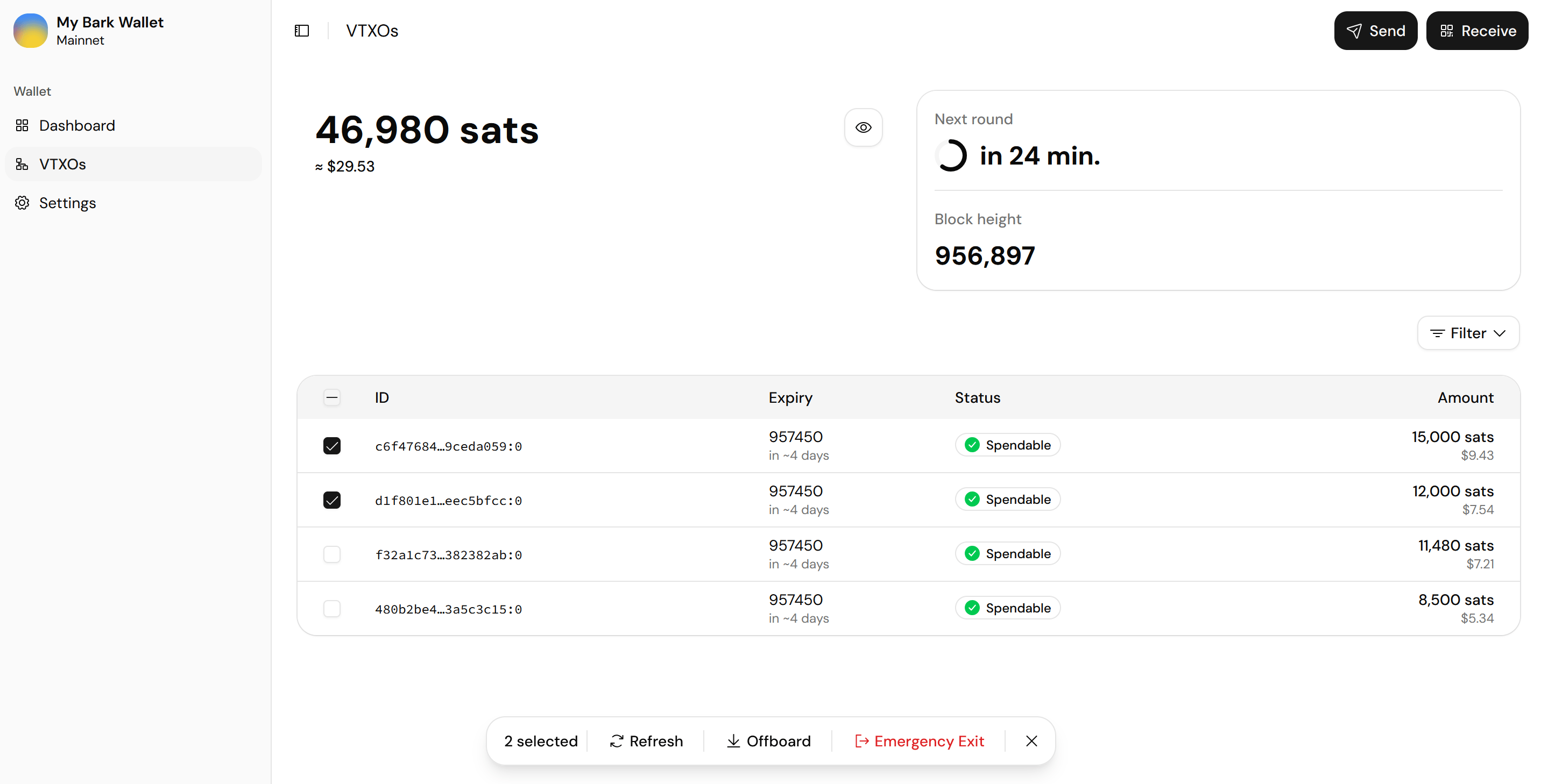
To act on individual VTXOs, tick one or more in the list, then choose an action in the bar that appears:
* **Refresh:** Mark the selected VTXOs for refresh in the next [round](/docs/learn/rounds). You forfeit them and receive fresh ones.
* **Offboard:** Make an on-chain payment from the selected VTXOs to an address you paste, or to the wallet app's own on-chain wallet with **Use my Bark on-chain wallet**. The wallet app deducts the on-chain transaction fee from the [offboarded](/docs/learn/offboard) amount.
* **Emergency Exit:** Reclaim the selected VTXOs' bitcoin on-chain without the Ark server's cooperation: the per-VTXO version of the [emergency exit](/docs/bark-wallet/settings#danger-zone), with the same warnings.
## The wallet app refreshes VTXOs for you
VTXOs have a limited [lifetime](/docs/learn/lifetime), so they must be refreshed before expiry, and Bark Wallet does this for you. It automatically refreshes any VTXO whose remaining lifetime drops below the configured threshold, one day by default, which keeps automatic refreshes inside the free window.
You can raise the threshold, refresh every payment as it's received, or refresh everything at once from [settings](/docs/bark-wallet/settings#refresh-behavior).
The wallet app submits queued refreshes to [rounds](/docs/learn/rounds), which occur every hour; the countdown at the top of the page shows when the next one starts.
## Refresh, offboard, or exit selected VTXOs
Advanced users may sometimes want granular control over their VTXOs. For example, a user with a particularly large VTXO might prefer to refresh it before it reaches the threshold, or to bring its bitcoin on-chain.
To act on individual VTXOs, tick one or more in the list, then choose an action in the bar that appears:
* **Refresh:** Mark the selected VTXOs for refresh in the next [round](/docs/learn/rounds). You forfeit them and receive fresh ones.
* **Offboard:** Make an on-chain payment from the selected VTXOs to an address you paste, or to the wallet app's own on-chain wallet with **Use my Bark on-chain wallet**. The wallet app deducts the on-chain transaction fee from the [offboarded](/docs/learn/offboard) amount.
* **Emergency Exit:** Reclaim the selected VTXOs' bitcoin on-chain without the Ark server's cooperation: the per-VTXO version of the [emergency exit](/docs/bark-wallet/settings#danger-zone), with the same warnings.
 To bring off-chain bitcoin on-chain, most users will prefer [Send](/docs/bark-wallet/send-receive#send-bitcoin) instead. You can send from your Ark balance straight to an on-chain address.
## Inspect a VTXO
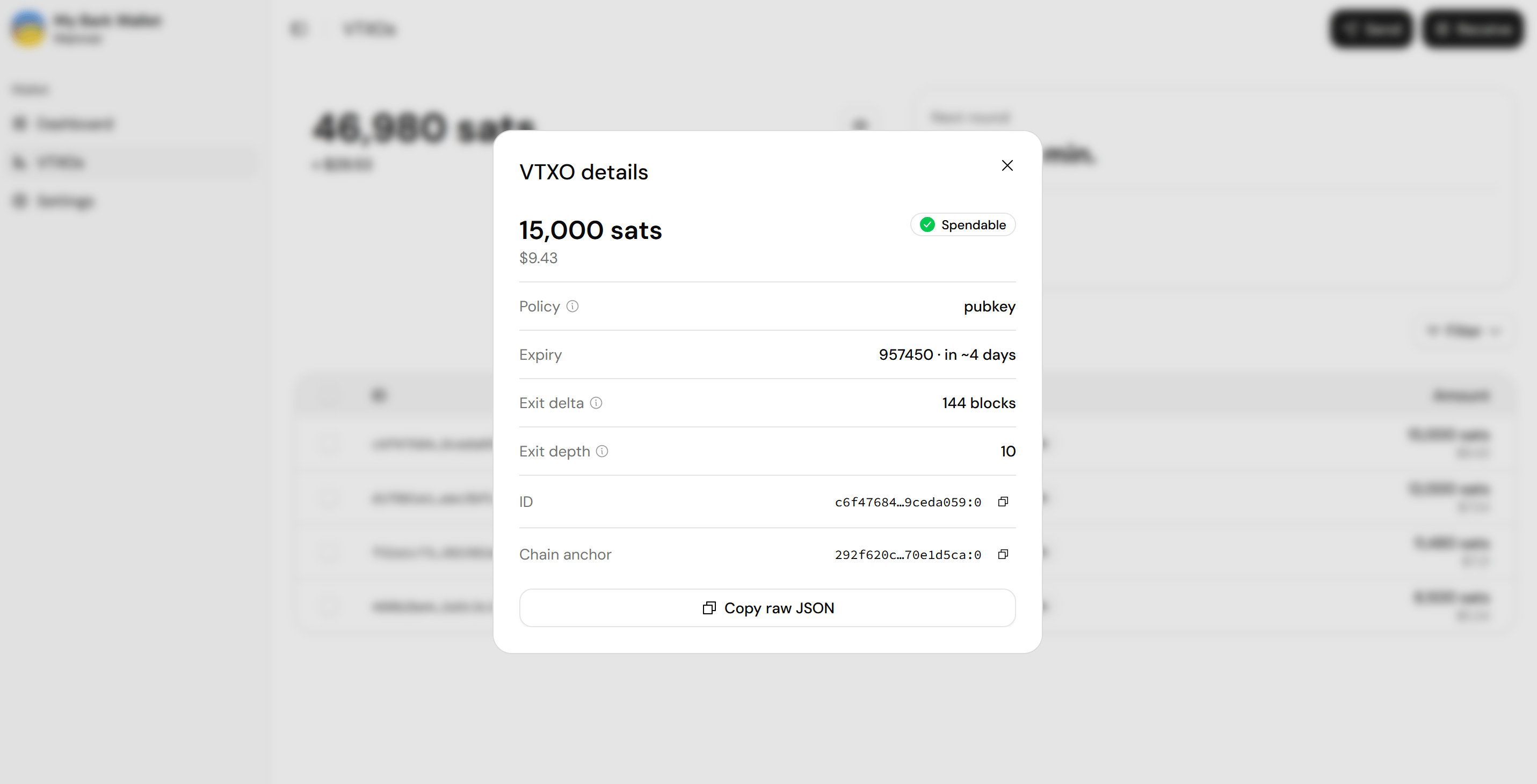
Select a row to open its details:
* The policy type (how the VTXO can be spent).
* The [expiry](/docs/learn/lifetime).
* The [exit delta](/docs/learn/exit#the-emergency-exit-process) (how long an exit output stays timelocked after confirming on-chain).
* The exit depth (how many on-chain transactions a full exit takes).
* The ID and the [chain anchor](/docs/learn/vtxo).
**Copy raw JSON** exports everything for troubleshooting.
To bring off-chain bitcoin on-chain, most users will prefer [Send](/docs/bark-wallet/send-receive#send-bitcoin) instead. You can send from your Ark balance straight to an on-chain address.
## Inspect a VTXO
Select a row to open its details:
* The policy type (how the VTXO can be spent).
* The [expiry](/docs/learn/lifetime).
* The [exit delta](/docs/learn/exit#the-emergency-exit-process) (how long an exit output stays timelocked after confirming on-chain).
* The exit depth (how many on-chain transactions a full exit takes).
* The ID and the [chain anchor](/docs/learn/vtxo).
**Copy raw JSON** exports everything for troubleshooting.