> ## Documentation Index
> Fetch the complete documentation index at: https://second.tech/docs/llms.txt
> Use this file to discover all available pages before exploring further.
# Uninstall the plugin
Uninstalling the Bark plugin removes it for every store on the server.
Your bitcoin doesn't move: keys and wallet data stay in [BTCPay Server's data directory](/docs/btcpay/backups), and reinstalling the plugin restores access to the same wallets.
If you don't plan to reinstall, empty the wallet first:
* [Send](/docs/btcpay/send-receive#send-bitcoin) your off-chain balance to a wallet you control.
* [Withdraw the on-chain balance](/docs/btcpay/send-receive#fund-and-withdraw-the-on-chain-balance) the same way.
Bitcoin left behind remains spendable only through the keys on that server.
## Uninstall from Manage Plugins
At the top right of the interface, select the block icon to open the dropdown menu, then select **Manage Plugins**.
Find **Bark** in the installed plugins list and select **Uninstall**.
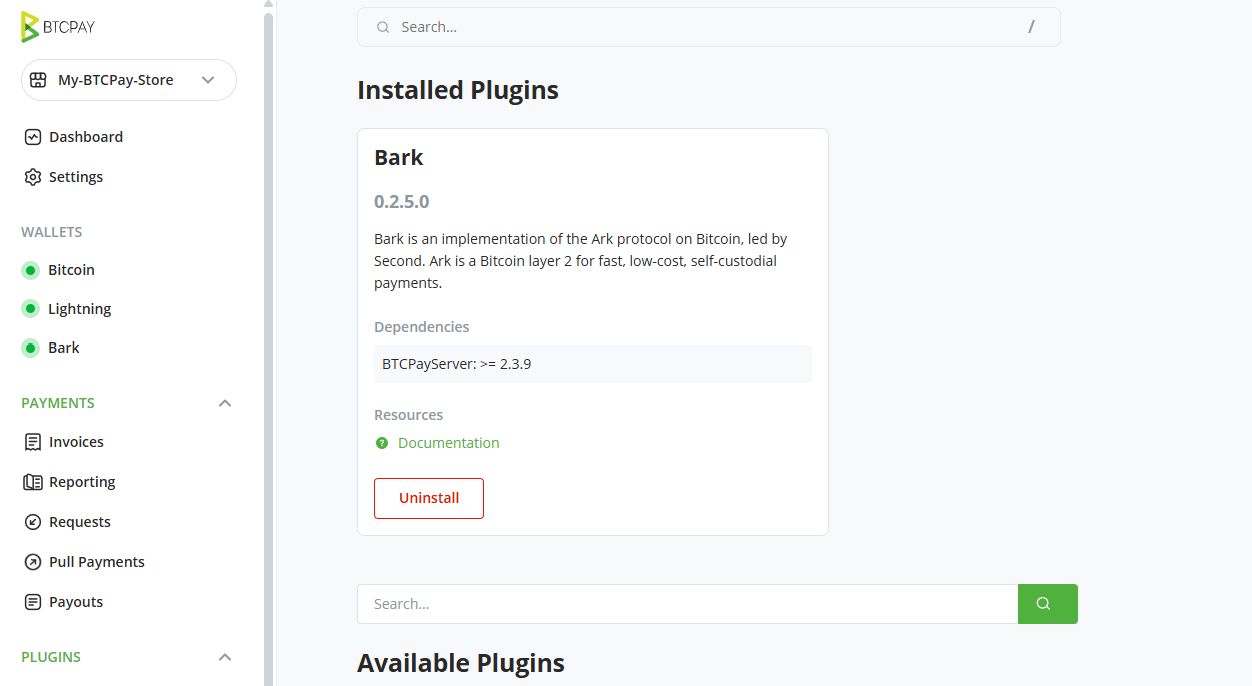 Restart when prompted. BTCPay Server removes the plugin during startup.
## Lightning and Ark stop working
After uninstalling, your checkout accepts neither Ark nor Lightning payments. To accept Lightning again, reinstall the Bark plugin, or connect the store to another Lightning setup from the Lightning page.
Restart when prompted. BTCPay Server removes the plugin during startup.
## Lightning and Ark stop working
After uninstalling, your checkout accepts neither Ark nor Lightning payments. To accept Lightning again, reinstall the Bark plugin, or connect the store to another Lightning setup from the Lightning page.