> ## Documentation Index
> Fetch the complete documentation index at: https://second.tech/docs/llms.txt
> Use this file to discover all available pages before exploring further.
# Test on signet
Signet is a bitcoin test network where coins are free and plentiful. It provides a good opportunity to test Ark without risking real money.
In this tutorial you will use `bark` to send and receive signet coins using the Ark protocol.
## Create your wallet
To ensure that `bark` is installed, run `bark --version`. Follow the [installation instructions](index) if you need to.
The first step is to create a new signet wallet. You need to tell the wallet the URL of your Ark server and where it can find chain data.
Use `bark --help` to see what the command-line program can do. For example, when you want to create a wallet, running `bark create --help` will give you more info.
Esplora is the easiest chain source to configure. But you can also use your own signet node if you prefer.
Don't switch the esplora instance. We are running a version that includes package relay which will be [merged in soon](https://github.com/Blockstream/electrs/pull/119).
```bash theme={"theme":{"light":"github-light","dark":"github-dark"}}
bark create --signet --ark ark.signet.2nd.dev --esplora esplora.signet.2nd.dev
```
This requires `bitcoind` v29.0 or greater. Your node must use the `-txindex` option.
```bash theme={"theme":{"light":"github-light","dark":"github-dark"}}
bark create --signet --ark ark.signet.2nd.dev --bitcoind --bitcoind-cookie
```
This requires `bitcoind` v29.0 or greater. Your node must use the `-txindex` option
```bash theme={"theme":{"light":"github-light","dark":"github-dark"}}
bark create --signet --ark ark.signet.2nd.dev --bitcoind --bitcoind-user --bitcoind-pass
```
**Getting an error about unexpected datadir contents?**
If you see an error like `Datadir has unexpected contents: ~/.bark/db.sqlite`, you likely have a wallet built from an earlier version of Bark. Wallets aren't always backward compatible between versions, so you'll need to remove the old data and create a fresh wallet:
```bash theme={"theme":{"light":"github-light","dark":"github-dark"}}
rm -rf ~/.bark
```
Then run the `bark create` command above again.
## Board the Ark and see your balance increase
Let's check your balance.
```bash theme={"theme":{"light":"github-light","dark":"github-dark"}}
bark balance
```
Oh, you are broke! Let's fix that!
To receive money on Ark you need to share your Ark address which you can find using the following command.
```bash theme={"theme":{"light":"github-light","dark":"github-dark"}}
bark address
```
You can get sats using [our signet faucet](https://signet.2nd.dev/). You will need to authenticate using your GitHub
account and provide the address you obtained above.
 Check your balance again to confirm you have received the bitcoin.
```bash theme={"theme":{"light":"github-light","dark":"github-dark"}}
bark balance
```
Congratulations! You have boarded the Ark. Notice that you received the balance instantly and you didn't need to pay any transaction fees.
## Inspect your VTXOs
Your Ark wallet manages [VTXOs](/docs/learn/vtxo) (virtual transaction outputs) instead of regular UTXOs. You can inspect your newly received VTXO.
```bash theme={"theme":{"light":"github-light","dark":"github-dark"}}
bark vtxos
```
You should see something like:
```json theme={"theme":{"light":"github-light","dark":"github-dark"}}
[
{
"id": "7d53e2c1e57c4c40dbe942c9a040c95e92db7c4486b2faf9163804097fa165bc:0",
"amount_sat": 59888,
"policy_type": "pubkey",
"utxo": "7d53e2c1e57c4c40dbe942c9a040c95e92db7c4486b2faf9163804097fa165bc:0",
"user_pubkey": "025577f6f44237f4c334b50c257c8feab6ff89d5591db2aff0ffee5c7bef7c03db",
"server_pubkey": "02f0f358c1b6173ddecec1ad06b42d3762f193e6ff98a3e112292aec21129f9f6b",
"expiry_height": 271138,
"exit_delta": 12
}
]
```
## Refresh in a round
VTXOs have a [limited lifetime](/docs/learn/lifetime) and must be periodically refreshed in a [round](/docs/learn/rounds). Our signet Ark server runs a round every 30 seconds for testing, but be aware that production servers will run rounds much less frequently. When you run the `refresh` command, you have to wait until the next round starts.
```bash theme={"theme":{"light":"github-light","dark":"github-dark"}}
bark refresh --all
```
Run `bark vtxos` again to confirm your old VTXO has been replaced by a new one with `policy_type` set to `round`.
The `bark` CLI requires you to refresh manually. [Wallet apps built on the Bark SDK](/docs/built-with-bark) typically automate refreshes for users.
## Spend your money and buy a treat for Byte
We'd like you to buy our mascot, Byte, a treat. You can order one in our [signet test store](https://signet.2nd.dev/store).
Check your balance again to confirm you have received the bitcoin.
```bash theme={"theme":{"light":"github-light","dark":"github-dark"}}
bark balance
```
Congratulations! You have boarded the Ark. Notice that you received the balance instantly and you didn't need to pay any transaction fees.
## Inspect your VTXOs
Your Ark wallet manages [VTXOs](/docs/learn/vtxo) (virtual transaction outputs) instead of regular UTXOs. You can inspect your newly received VTXO.
```bash theme={"theme":{"light":"github-light","dark":"github-dark"}}
bark vtxos
```
You should see something like:
```json theme={"theme":{"light":"github-light","dark":"github-dark"}}
[
{
"id": "7d53e2c1e57c4c40dbe942c9a040c95e92db7c4486b2faf9163804097fa165bc:0",
"amount_sat": 59888,
"policy_type": "pubkey",
"utxo": "7d53e2c1e57c4c40dbe942c9a040c95e92db7c4486b2faf9163804097fa165bc:0",
"user_pubkey": "025577f6f44237f4c334b50c257c8feab6ff89d5591db2aff0ffee5c7bef7c03db",
"server_pubkey": "02f0f358c1b6173ddecec1ad06b42d3762f193e6ff98a3e112292aec21129f9f6b",
"expiry_height": 271138,
"exit_delta": 12
}
]
```
## Refresh in a round
VTXOs have a [limited lifetime](/docs/learn/lifetime) and must be periodically refreshed in a [round](/docs/learn/rounds). Our signet Ark server runs a round every 30 seconds for testing, but be aware that production servers will run rounds much less frequently. When you run the `refresh` command, you have to wait until the next round starts.
```bash theme={"theme":{"light":"github-light","dark":"github-dark"}}
bark refresh --all
```
Run `bark vtxos` again to confirm your old VTXO has been replaced by a new one with `policy_type` set to `round`.
The `bark` CLI requires you to refresh manually. [Wallet apps built on the Bark SDK](/docs/built-with-bark) typically automate refreshes for users.
## Spend your money and buy a treat for Byte
We'd like you to buy our mascot, Byte, a treat. You can order one in our [signet test store](https://signet.2nd.dev/store).
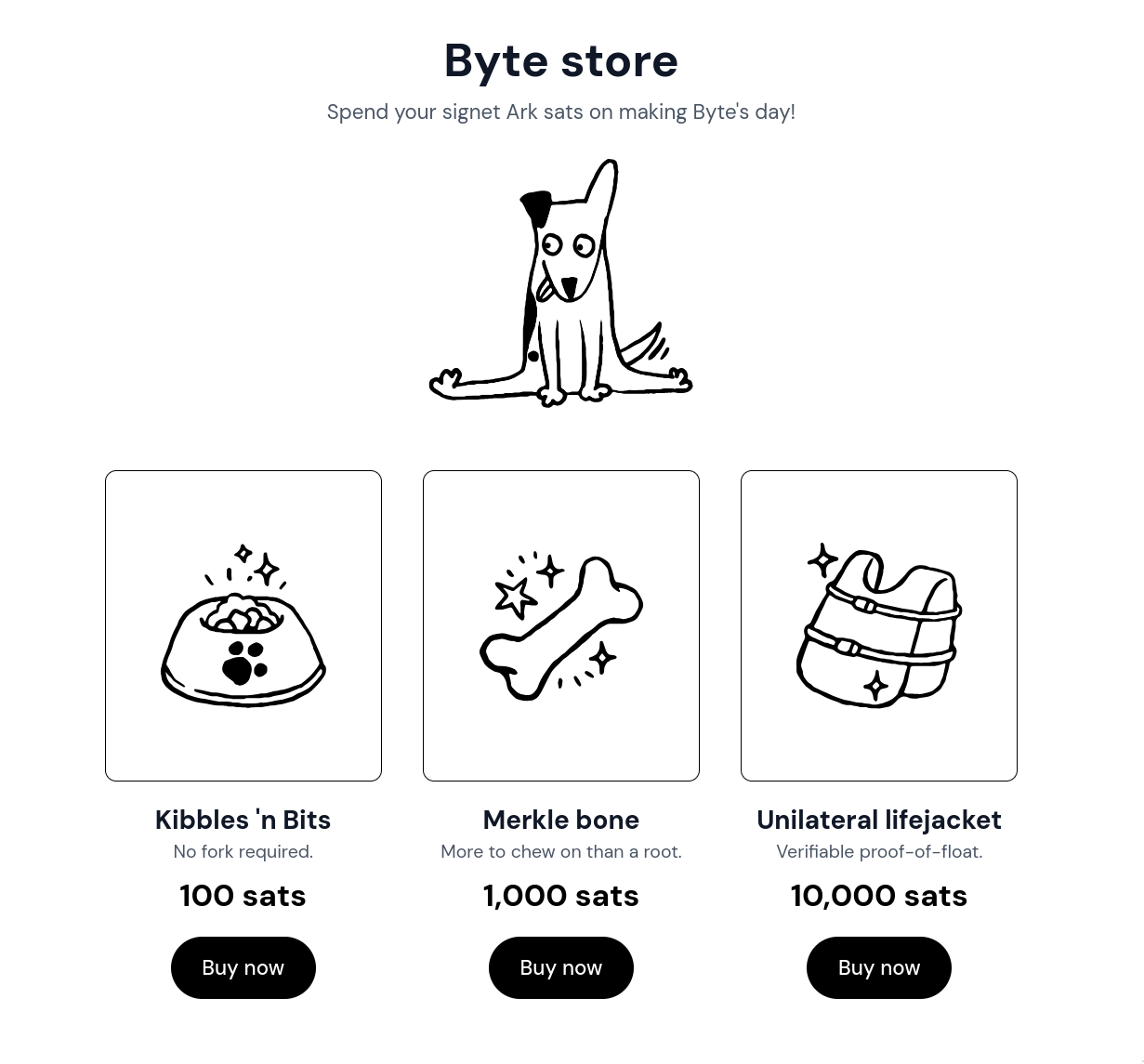 After creating an order, the shop will give you a BOLT11
invoice, which can be paid using the following command.
```bash theme={"theme":{"light":"github-light","dark":"github-dark"}}
bark send
```
You can use `bark` to pay:
* a BOLT11 invoice using Lightning
* an LNURL using Lightning
* a bitcoin address for an on-chain payment
* an Ark address for a user in the same Ark
## Getting your money out, aka off-boarding
You can offboard your bitcoin back to a regular on-chain UTXO. This is the cheapest and fastest way to leave Ark.
```bash theme={"theme":{"light":"github-light","dark":"github-dark"}}
bark offboard --all
```
If the Ark server is uncooperative, you can always perform an [emergency exit](advanced) instead. For more on how offboarding works, see [Offboarding](/docs/learn/offboard) in the Learn section.
## Share your feedback
You've now completed testing the full lifecycle of transactions on Ark—we're excited to see what applications you come up with! [Let us know](https://community.second.tech) if there's any more guides you'd like to see, and please share any feedback on the developer experience.
After creating an order, the shop will give you a BOLT11
invoice, which can be paid using the following command.
```bash theme={"theme":{"light":"github-light","dark":"github-dark"}}
bark send
```
You can use `bark` to pay:
* a BOLT11 invoice using Lightning
* an LNURL using Lightning
* a bitcoin address for an on-chain payment
* an Ark address for a user in the same Ark
## Getting your money out, aka off-boarding
You can offboard your bitcoin back to a regular on-chain UTXO. This is the cheapest and fastest way to leave Ark.
```bash theme={"theme":{"light":"github-light","dark":"github-dark"}}
bark offboard --all
```
If the Ark server is uncooperative, you can always perform an [emergency exit](advanced) instead. For more on how offboarding works, see [Offboarding](/docs/learn/offboard) in the Learn section.
## Share your feedback
You've now completed testing the full lifecycle of transactions on Ark—we're excited to see what applications you come up with! [Let us know](https://community.second.tech) if there's any more guides you'd like to see, and please share any feedback on the developer experience.