 Grubles
Giving Bark superintelligence
Agents are getting good at doing real work. But paying for things along the way is still supremely awkward. A paid API usually means an account, an API key, and a balance topped up using a UI that sits behind ten layers of menus and logins, all before the agent can even start. Paying with bitcoin has usually meant someone is already managing a Lightning node with all of the “fun” aspects of Lightning worked out, like channel selection and liquidity management.
I wanted to see how little it takes for an agent to hold bitcoin and pay for things mid-task. So I built bark-mcp, which gives an agent a Bark wallet.
The gist: an agent can have a working wallet quickly to go shopping for items us mere humans want, or to pay for an API out on the internet.
Jacking Bark into the matrix
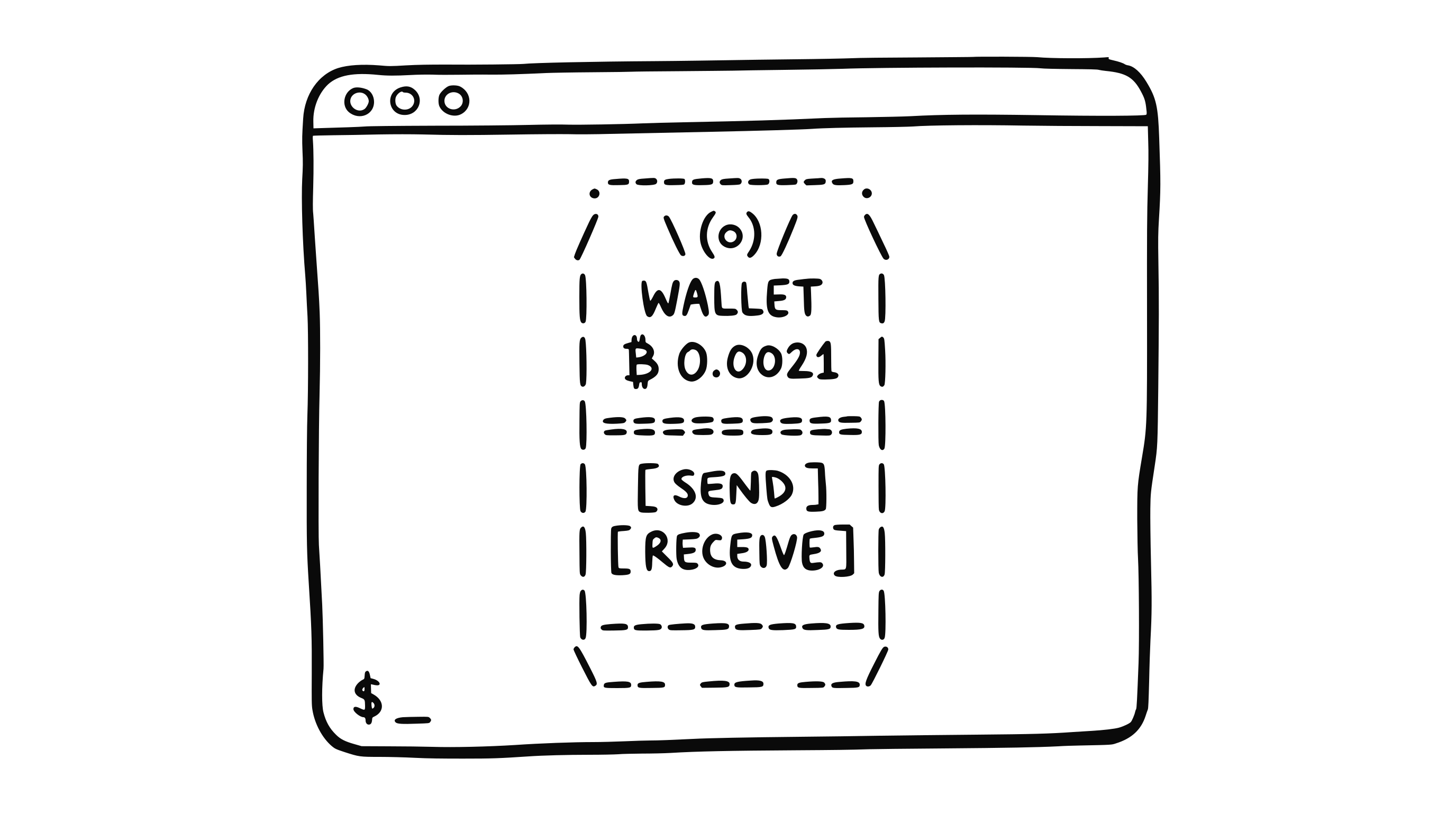
Under the hood, bark-mcp is an MCP server, so it plugs into any agent that speaks the MCP language. Behind it sits Barkd, our lightweight Ark wallet daemon. With that daemon, the agent gets one balance it can spend over Ark, Lightning, or on-chain, and a handful of tools to check it, price a payment, pay others, and get paid.
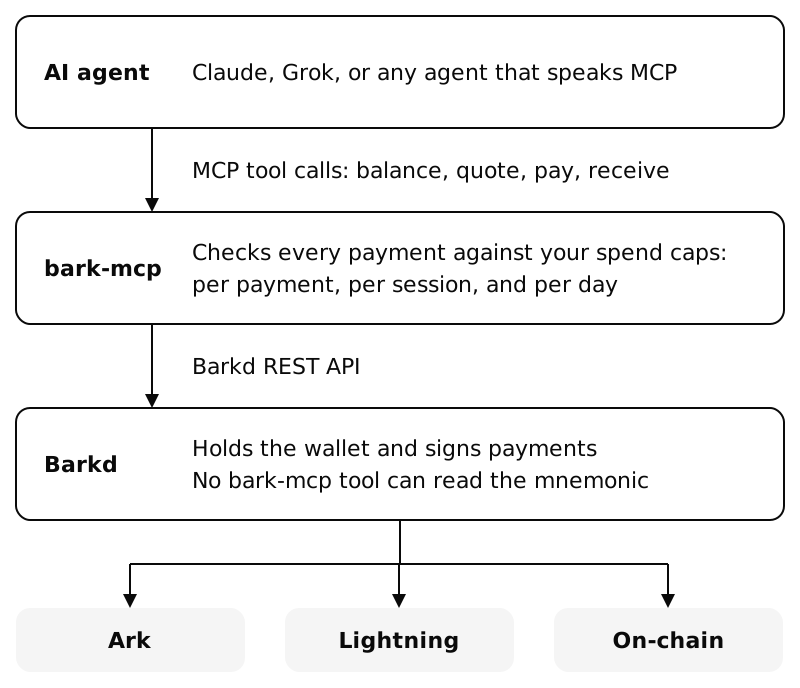
The best part is how little there is to set up. Point your agent at bark-mcp and it fetches Barkd, verifies it, creates a wallet, and connects to our Ark server. There’s no Lightning node to sync, no channel to open, and no liquidity to manage. You can also run bark-mcp against an existing Barkd that may already be running on your Umbrel or Start9 device. Once the agent is equipped with bark-mcp, it can receive and send bitcoin instantly and autonomously.
Ask an agent to pay for something and watch in awe at how it will grab any relevant information and send over the satoshis.
And the wallet really is the agent’s. The coins are its own, not a balance in someone else’s database. If the Ark server ever went away, the wallet can still exit on-chain.
Ready for what’s out there today
I’ve already tested paying for Bitrefill gift cards using bark-mcp, Grok, and Bitrefill’s MCP server.

It really feels like the future of both payments and shopping to be able to ask an agent to buy something for you, and it handles everything so seamlessly.
On top of that, bark-mcp speaks L402, which some merchants and APIs already use to charge per request over Lightning. Hand the agent an L402 URL and bark-mcp pays the invoice, then retries the request with proof of payment.
Agent payments move from the terminal to mobile wallets
Another new thing I’m also stoked about is what Christoph and Nitesh are building using agents with your Noah or Arké wallets. It’s interesting experiencing this using command line utilities, but seeing it work with a polished mobile app makes me think this is likely how we’ll interact with wallets in the near future.

Nitesh ₿⚡️
@nitesh_btc
In the next version of Noah, you can check your balance, make lightning invoices and ark addresses using Siri.

Matthew Vuk 🛳️
@matthewvuk2
2nd place winner overall of the @btcplusplus Berlin hackathon! 🎉 🏆 By @GBKS @arkebitcoin It’s a Bark MCP Server that automatically connects to your local iPhone Arké app! Agentic payments from your mobile wallet.
Setting limits
Giving an agent money raises the obvious question, so bark-mcp is built around limits. You decide how much the agent can spend per payment, per session, and per day. With a cap set, if it can’t tell how much a payment will cost, it refuses instead of guessing. The wallet’s mnemonic stays locked away in the daemon, where the agent can’t read it.
The caps are what actually protect you. The agent has to confirm every payment, but it gives that confirmation itself, so the check stops accidental tool calls, not a hijacked agent. Assume a compromised agent will spend right up to its caps, and set them with that in mind.
It defaults to starting on signet, so you can let an agent loose with signet coins first. Moving to mainnet is a deliberate choice you make, with a wallet you created and backed up yourself.
Go try it
You’ll need Node 18.17 or later. Clone bark-mcp and install its dependencies:
git clone https://gitlab.com/ark-bitcoin/labs/bark-mcp.git
cd bark-mcp
npm install
Then point your agent at it by adding it to the agent’s MCP config, with the path to your clone:
{
  "mcpServers": {
    "bark": {
      "command": "node",
      "args": ["/path/to/bark-mcp/src/index.js"],
      "env": {
        "BARK_MCP_PROFILE": "agent-signet-managed",
        "BARK_MCP_FETCH_BARKD": "1"
      }
    }
  }
}
On first start, bark-mcp downloads a pinned Barkd release, verifies its checksum, and creates a signet wallet. Ask your agent for its balance and a receive address, and top it up from our signet faucet. Then hand it a URL behind an L402 paywall and watch the paid response come back. Our L402 demo gives you a paywall to test against: it serves haiku for sats.
Next: paying over Ark, and Ark 402
In this post, I’ve focused on Lightning payments through L402, since that’s what APIs accept today. But where bark-mcp can really shine is paying over Ark directly. To handle the receive side of that, I’ve been working on Ark 402, a way for APIs to charge agents over Ark. Keep an eye on our blog for a post diving deeper into it soon!
To keep up with Bark releases, sign up to our newsletter. Roughly monthly, no spam, unsubscribe at any time.