

Swaptopia is in beta and opens on mainnet, where a swap moves real bitcoin. Swap only amounts you can afford to lose, or test a swap on signet first with test bitcoin.
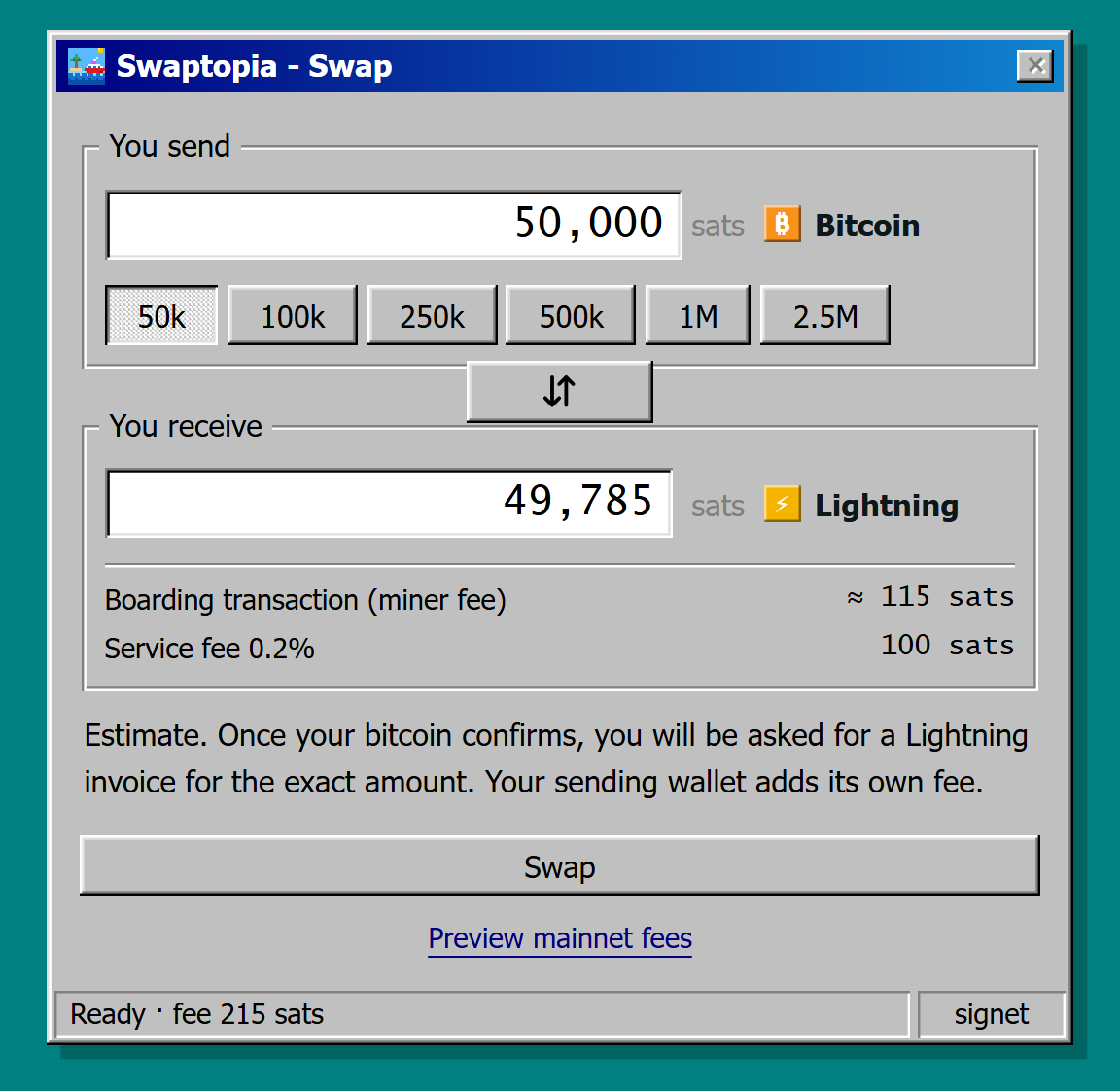
The quote shows what your Lightning wallet app receives after the swap's fees, before you select Swap
What Swaptopia handles for you
- A wallet of your own: Swaptopia creates a wallet in your browser the first time you open the page, and signs every swap with its keys.
- Bitcoin to Lightning: Swaptopia boards the bitcoin you send onto Ark, then pays the Lightning invoice or Lightning address you give it.
- Lightning to bitcoin: Swaptopia receives your Lightning payment, then offboards the sats to the on-chain address you paste.
Before your first swap
- Back up your seed phrase. Swaptopia shows it only until you confirm the backup. Nobody can recover your sats without it.
- Keep the tab open during the stages that ask for it. If you lose the tab, reopen the same page in the same browser to carry on with the swap.
- Check the amount limits. On mainnet, a bitcoin-to-Lightning swap starts at 51,000 sats or more.
Set up and use Swaptopia
Back up your wallet
Write down the seed phrase before your first swap, and export the wallet data if you run the Bark CLI.
Swap bitcoin to Lightning
Send bitcoin to the address Swaptopia gives you, then paste a Lightning invoice.
Swap Lightning to bitcoin
Pay a Lightning invoice and receive an on-chain transaction to your address.
Fees and limits
Read the quote, and check the minimums and maximums for each direction.
Manage your wallet
Send leftover sats, restore or wipe the wallet, and export its data.
Resolve a swap problem
Find the message you see on screen and what to do about it.