

Rates
Select Rates in the sidebar, then set these on the Rate source card:- Source: Kraken. It’s the only source, so the field is locked.
- Amount tolerance (bps): How far a payment may differ from the charge amount and still count as paid. 100 bps is 1%, and the default of 0 requires the exact amount.
Audit log
Select Audit log in the sidebar to see one row per admin action: what was done, the object it touched, the IP address behind it, and when it happened.Settings
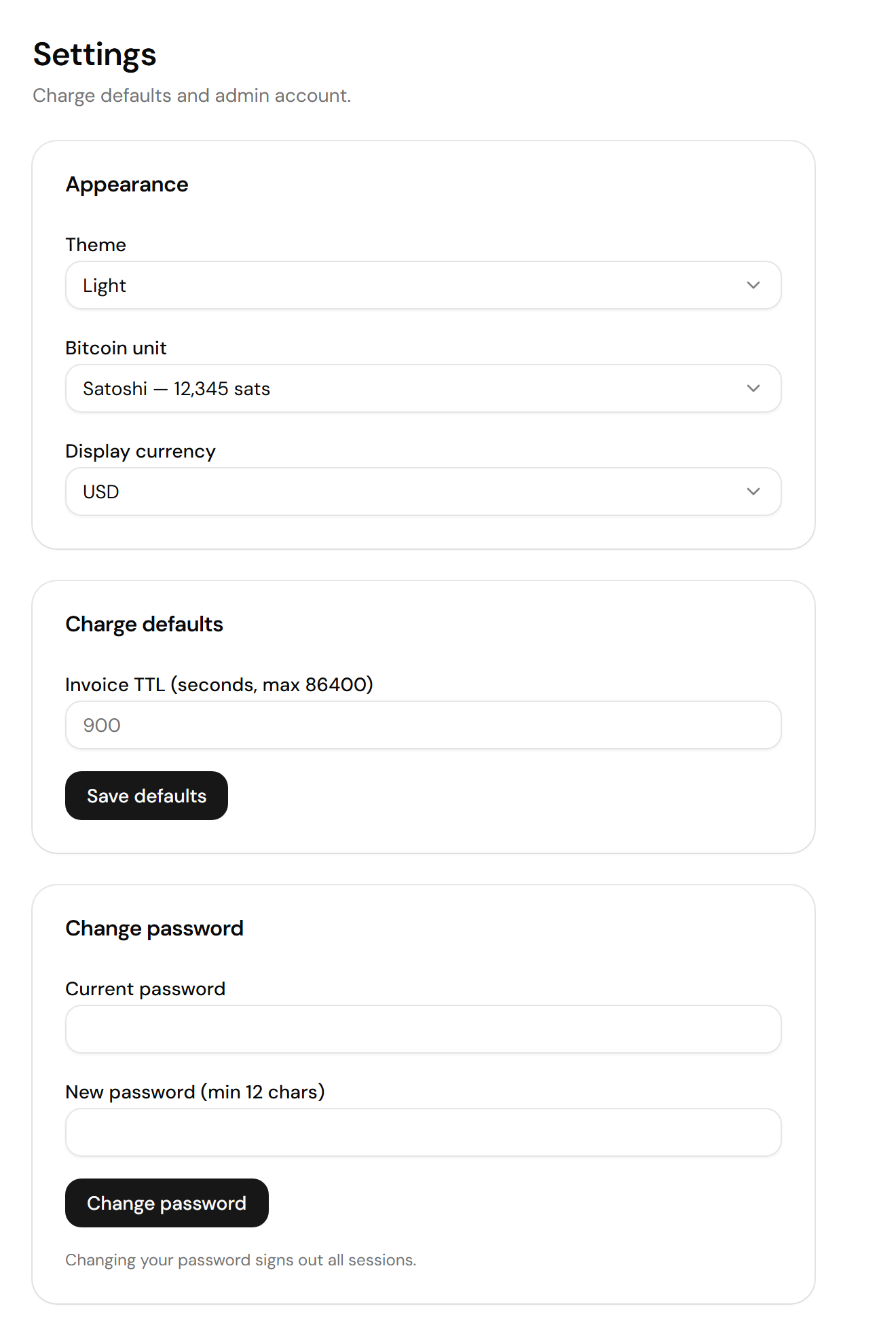
Settings holds the charge defaults and your admin password
Appearance
Go to Settings > Appearance for the preferences your browser stores:- Theme: Light, Dark, or System.
- Bitcoin unit: Satoshi, Bitcoin (BTC), or Bitcoin (₿). The same balance reads
12,345 sats,0.00012345 BTC, or₿12,345. - Display currency: USD or EUR, for the fiat value on Overview and the default currency of new fiat-priced charges.
Charge defaults
Go to Settings > Charge defaults and set Invoice TTL, how long a new charge stays payable, in seconds. The default is 900, or 15 minutes, and the maximum is 86,400. Select Save defaults to apply.Change password
1
Go to Settings > Change password
2
Enter your current password and a new one of at least 12 characters
Bark Pay rejects a new password that contains a common word such as
password, admin, or barkpay.3
Select Change password
Bark Pay signs out every session, including yours.
After five failed sign-in attempts, Bark Pay slows every further attempt on the account for 15 minutes. Each new failure restarts the wait. The right password still signs you in.