

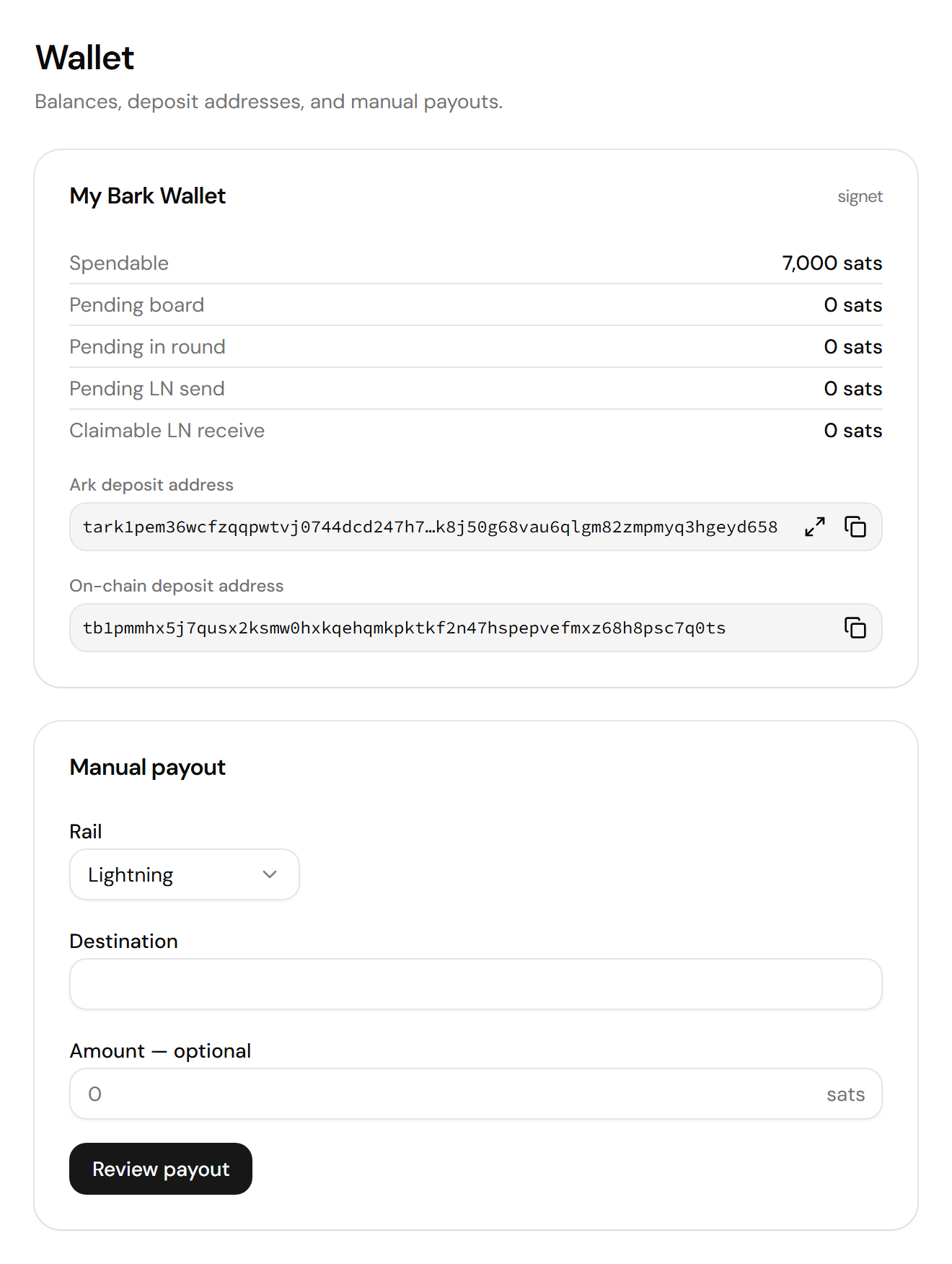
One card per wallet: balances, deposit addresses, and the payout form
Read your balances
The wallet card, titled My Bark Wallet in live mode and signet in test mode, lists one row per state:
On-chain payments, to a charge or to the on-chain deposit address, land in Barkd’s separate on-chain wallet, shown in the two on-chain rows. They leave it only through an On-chain payout.
Deposit bitcoin
The wallet card shows two deposit addresses. Copy the one that matches how you want to send:- Ark deposit address: For a payment from a wallet app on the same Ark server. It arrives in the spendable balance.
- On-chain deposit address: For a regular on-chain payment. It lands in Barkd’s on-chain wallet.
Manual payout
Use Manual payout to move bitcoin out: to your own cold storage, to a supplier, or to refund a customer.The dashboard accepts at most ten payouts per minute from one IP address.
1
Select the rail
- Lightning: Pays a BOLT11 invoice, a BOLT12 offer, or a Lightning address.
- Ark: Pays an Ark address on the same Ark server.
- On-chain: Pays an on-chain address from Barkd’s on-chain wallet.
2
Paste the destination
Paste a bare invoice, offer, or address, not a
bitcoin: payment link. If it belongs to another rail, Bark Pay tells you which one to select.3
Enter the amount in sats
A BOLT11 invoice with a fixed amount fills the field and locks it. A Lightning address always needs an amount, even though the field reads optional.
4
Select Review payout
The Confirm payout drawer summarizes the amount, rail, wallet, and destination.
5
Select Send payout
A Payout sent. toast confirms that Barkd accepted it. A Lightning payout stays under Pending LN send until it settles.