

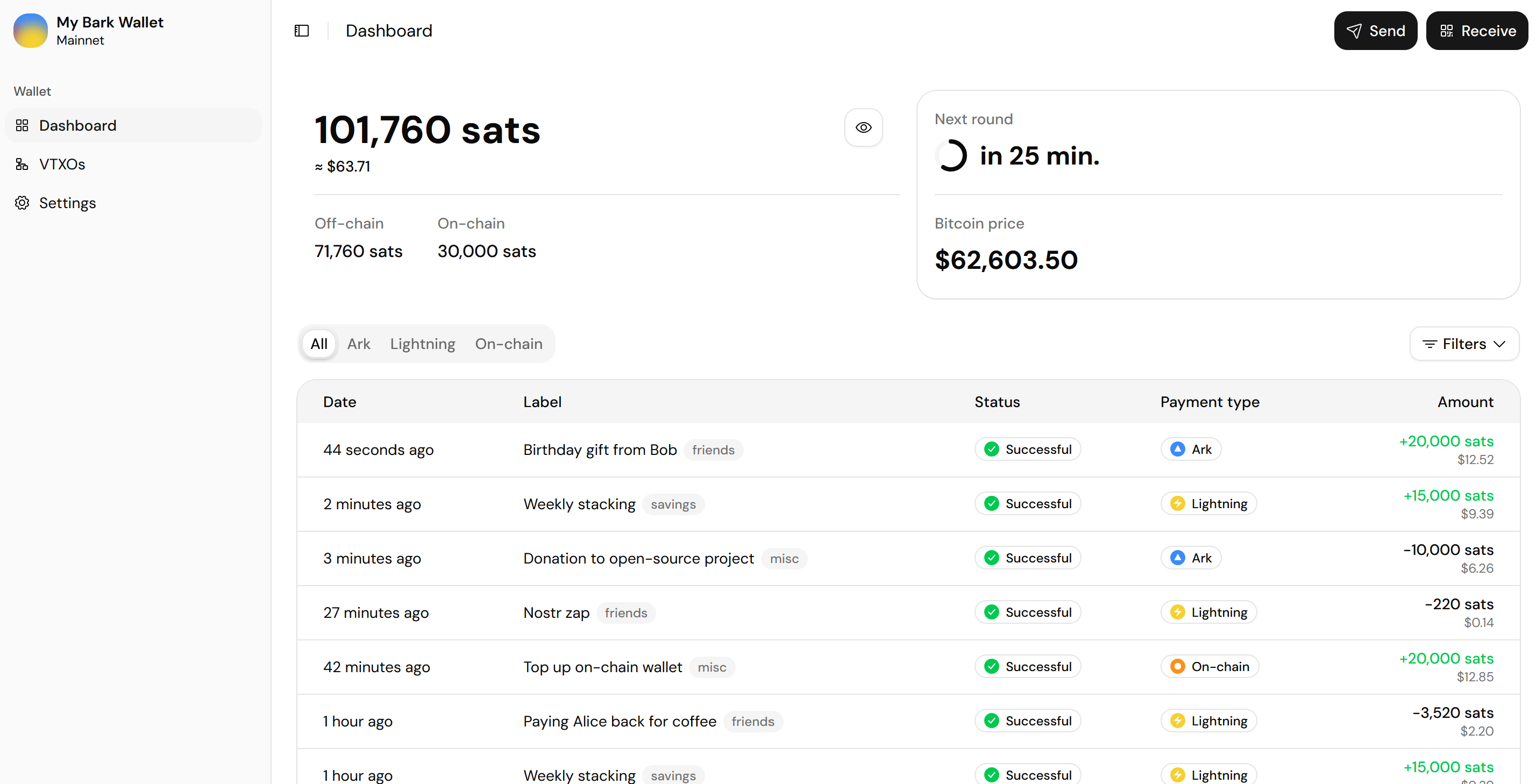
One main balance, spendable over Ark, Lightning, and on-chain
One balance, every payment network
Your bitcoin lives in your Ark balance, and you spend it over Ark, Lightning, or on-chain:- Pays to anything: Ark addresses, on-chain addresses, BOLT11 invoices, BOLT12 offers, Lightning addresses, LNURL, and BIP-321 payment links.
- One receive code: A single QR code combines your Ark, Lightning, and on-chain payment details, and the sender’s app picks the cheapest option it supports.
- Free Ark payments: Sends to another wallet app on the same Ark server cost nothing, down to a single sat.
- Wallet maintenance: Bark Wallet handles all required maintenance tasks (e.g., refreshes) in the background for you.
- Emergency exit: Move your balance back on-chain at any time, even if the Ark server is offline.
- Branta-verified recipients: When a recipient registers with Branta, the wallet app confirms the payment details before you send.
Barkd under the hood
Bark Wallet packages Barkd, Second’s wallet daemon, with a web interface (bark-web). Barkd holds your keys on your own device and connects to Second’s Ark server, which coordinates rounds and handles Lightning connectivity. Your bitcoin stays under your control. The app is open source under the MIT license, built as a reference implementation: if you’re building a wallet app on Barkd, the bark-web repository shows how Second’s own team approached it, UX decisions included.Set up and use Bark Wallet
Install Bark Wallet
One click from the Umbrel App Store or the Start9 Registry, or self-host with Docker.
Create your wallet
Name the wallet, write down your seed phrase, and confirm it.
Wallet backups
Write down your seed phrase, and keep a continuous copy of your wallet data.
Understand your dashboard
How to read your main balance and its sub-balances, and your payment history.
Send and receive bitcoin
Pay any address or invoice, and receive over Ark, Lightning, or on-chain.
Manage your VTXOs
Inspect the VTXOs behind your balance, and refresh, offboard, or exit them manually.
Configure the wallet app
Display preferences, refresh behavior, your seed phrase, and the emergency exit.
Remote access
Open the wallet app while you’re away from home.
Restore your wallet
Bring a wallet back from a continuous backup or from your seed phrase.
Update or uninstall
Keep the app up to date, or remove it safely after emptying the wallet.