

- Write down the recovery phrase: This is enough to recover the wallet’s balance in the event of a system failure. Recovery from the phrase alone requires the Ark server’s cooperation, and it doesn’t restore the payment history or the state of any in-progress exits.
- Set up continuous backups (optional): A backup that you fully control, with the entire payment history included.
Write down the recovery phrase
1
Open the Bark settings
Go to Bark > Settings.
2
Reveal the phrase
Select View Recovery Phrase in the Backup section.
3
Write down the 12 words
Copy them in order, somewhere safe and offline. The phrase never changes, so this is a one-time step. Select Done to return to Settings.
Set up continuous backups
Each store’s wallet lives in BTCPay Server’s data directory, underbark/stores/<store ID>, with its recovery phrase alongside. The Backup section of Bark > Settings shows the exact path, with a copy button. On a standard Docker deployment, that directory sits inside the BTCPay data volume on your server’s disk.
Second doesn’t have a mature continuous backup solution for the Bark plugin yet. If you’re comfortable experimenting, consider these options:
- bark-backupd: Second’s experimental backup daemon. It watches a wallet directory and snapshots the database on every change. It encrypts each snapshot with a key derived from the recovery phrase, then ships it to a cloud drive or any S3-compatible target. Test
bark-backupd restorebefore you rely on it. - Litestream: A streaming replicator that keeps a live, off-machine copy of the wallet database. The wallet database isn’t formally tested in the WAL journal mode Litestream requires, so treat the approach as experimental.
Restore a wallet from its recovery phrase
To bring a wallet back on a store that has no Bark wallet yet, select Import existing wallet on the Set up Bark screen and enter the 12 words in the Seed phrase field. Set up a Bark wallet for your store walks through that screen. The plugin rebuilds the wallet with the Ark server’s help, and the balance appears once the wallet has synced.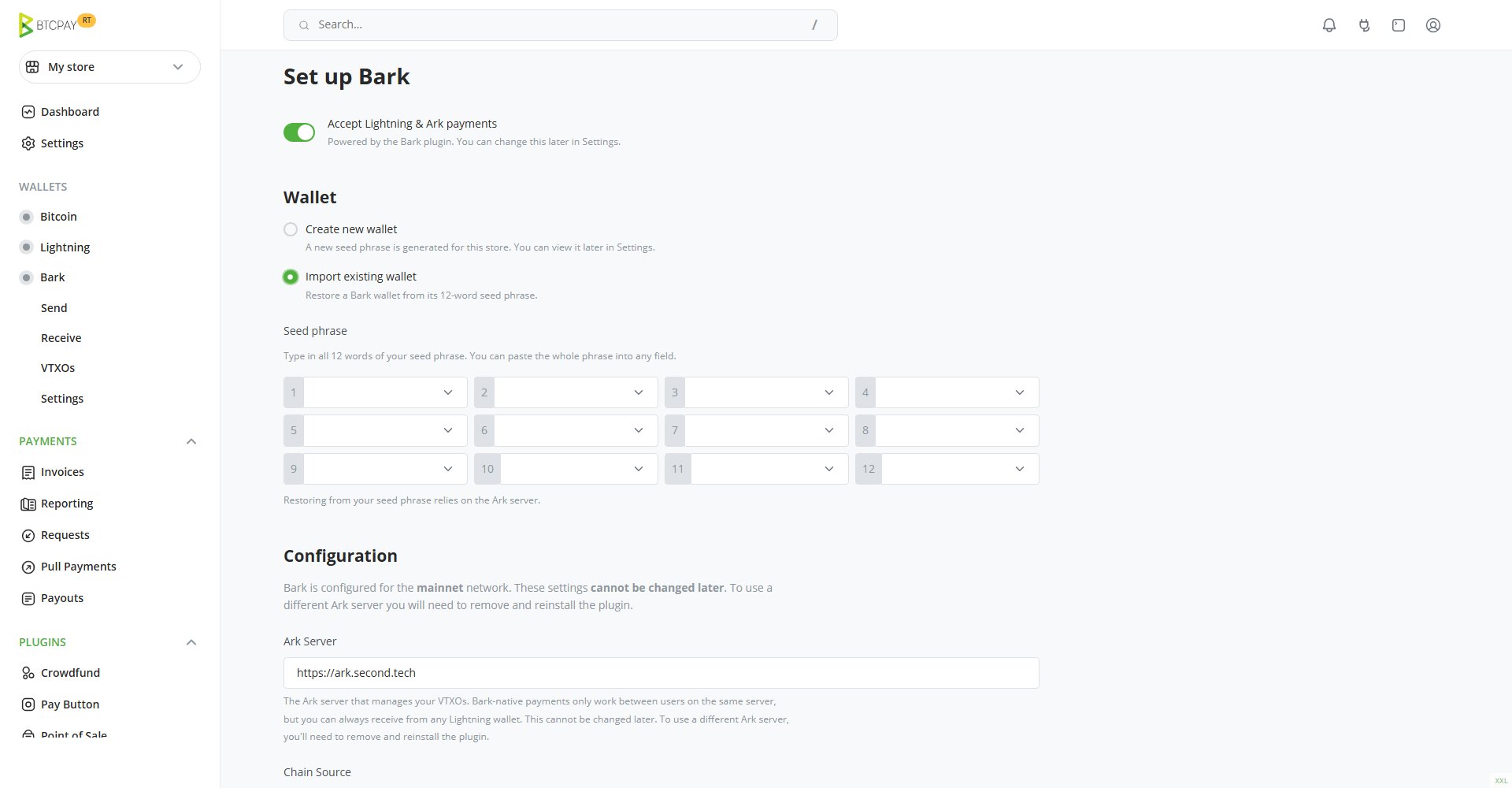
Import existing wallet turns the Set up Bark screen into a 12-word entry form