

Bark settings
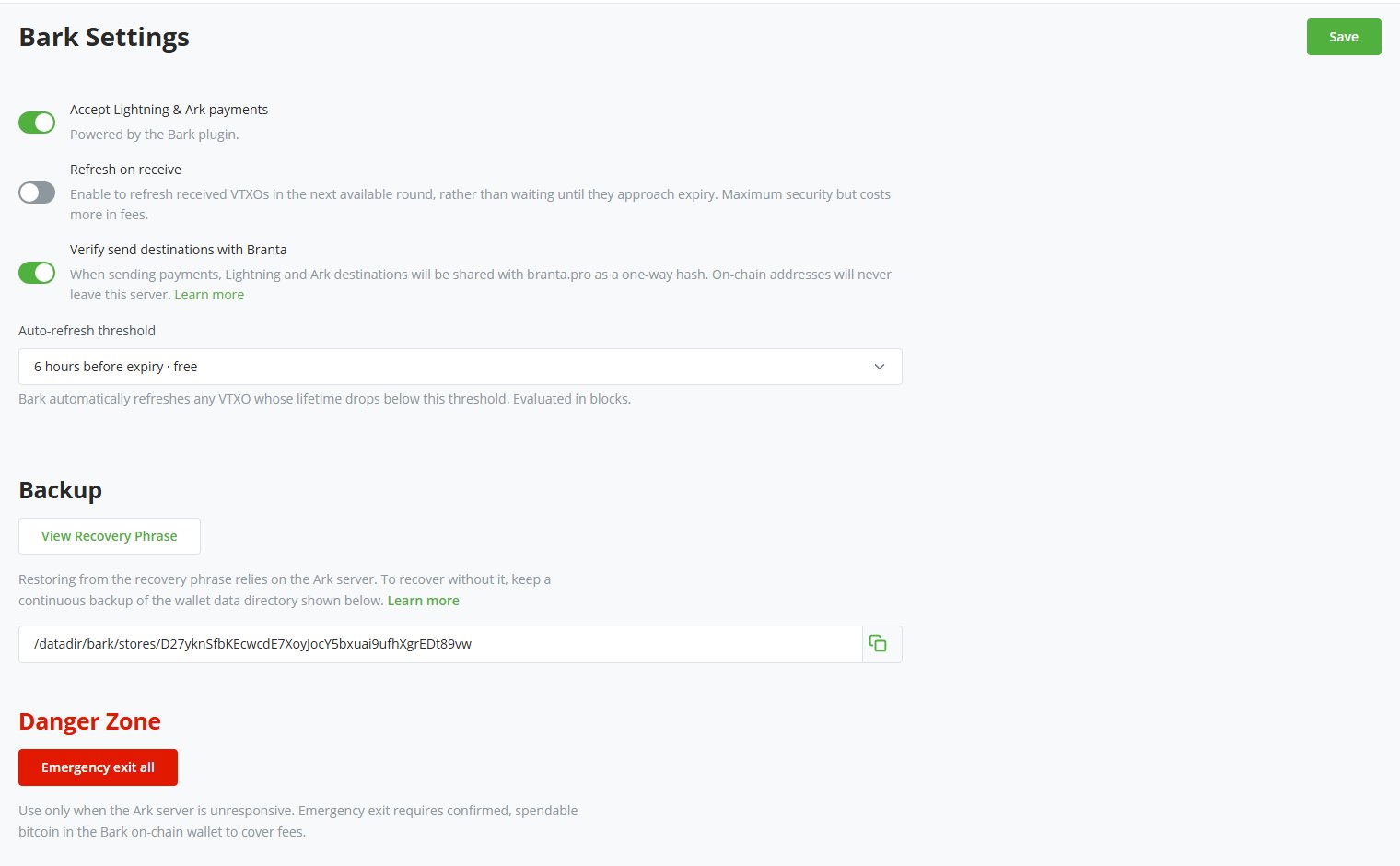
Accept Lightning & Ark payments
This toggle enables the Ark payment method at checkout, plus the Lightning payment method when Bark drives your store’s Lightning. It also makes Bark the store’s default payment method. When turned off, your checkout falls back to your native BTCPay on-chain wallet, and to your own Lightning node if the store kept one. Your Bark balances and settings remain untouched, and you can still send and receive from the admin panel.Refresh on receive
Off by default. When enabled, the plugin refreshes each VTXO you receive in the next available round, rather than waiting until it approaches expiry.Refreshing on receive provides maximum security, but it significantly increases the cost of receiving payments over Bark. See the Ark receive and Lightning receive trust models, and Second’s pricing.
Verify send destinations with Branta
On by default. When enabled, the Send screen looks up each Lightning and Ark destination with Branta and names the platform it belongs to, as described in Confirm the recipient with Branta. When turned off, the Send screen shows no verification line.Auto-refresh threshold
The plugin automatically refreshes any VTXO whose remaining lifetime drops below this threshold. Every option in the dropdown is labeled with its cost on your Ark server. The default, one day before expiry, keeps automatic refreshes free on Second’s server, while wider thresholds trade liquidity fees for a larger safety margin before expiry. See Second’s pricing for the fee tiers.Backup
Select View Recovery Phrase to display the wallet’s 12 words. The field beneath shows the wallet data directory to include in a continuous backup. See Back up your wallet.Danger Zone
Emergency exit all begins a process that reclaims your entire off-chain balance on-chain without the Ark server’s cooperation, as described in emergency exits. The section only appears while the wallet holds spendable VTXOs, and shows a disabled Emergency exit in progress button while an exit runs. To exit only some VTXOs, use the VTXOs page instead.1
Check the cost estimate
The confirmation dialog shows the estimated on-chain fee at the current feerate. One part the plugin pays now from your Bark on-chain wallet to broadcast the exit transactions. The other part it deducts later when it claims the exited bitcoin. The actual cost depends on feerates while the exit completes.
2
Select Start emergency exit
The plugin starts broadcasting the exit transactions, and BTCPay notifies you when the exit completes or fails.
Ark server and chain source
You confirm these two endpoints at setup, and they can’t be changed afterwards:- Ark Server: Second runs two servers:
https://ark.second.techon mainnet (the default) andhttps://ark.signet.2nd.devon signet, for test deployments. Second doesn’t run any other servers. - Chain Source: Any public endpoint exposing the Esplora HTTP API. Esplora and mempool instances both work, while servers that only speak the Electrum protocol, such as a bare electrs, don’t. The plugin checks that the endpoint serves the right network. The default is Second’s
https://mempool.second.tech/api.
The plugin runs on mainnet unless your BTCPay Server sets the
BARK_NETWORK environment variable to signet before you set up a store. On signet, the fields come pre-filled with Second’s signet server and chain source.Lightning settings
A few Lightning-specific options live on the Lightning page: select Lightning in your store’s sidebar, then Settings beneath it. With Bark driving Lightning, the page shows Custom Node withbark as the node, and only part of that page applies.
If your store already had a Lightning node connected when you set up Bark, the plugin left it in place. Lightning payments keep going through that node rather than Bark. Every option on the Lightning page then applies to that node as usual. To switch Lightning to Bark:
- Select Change connection.
- Select Use custom node.
- Expand Bark - Ark Lightning.
- Copy the connection string shown into the field.
- Select Save.