

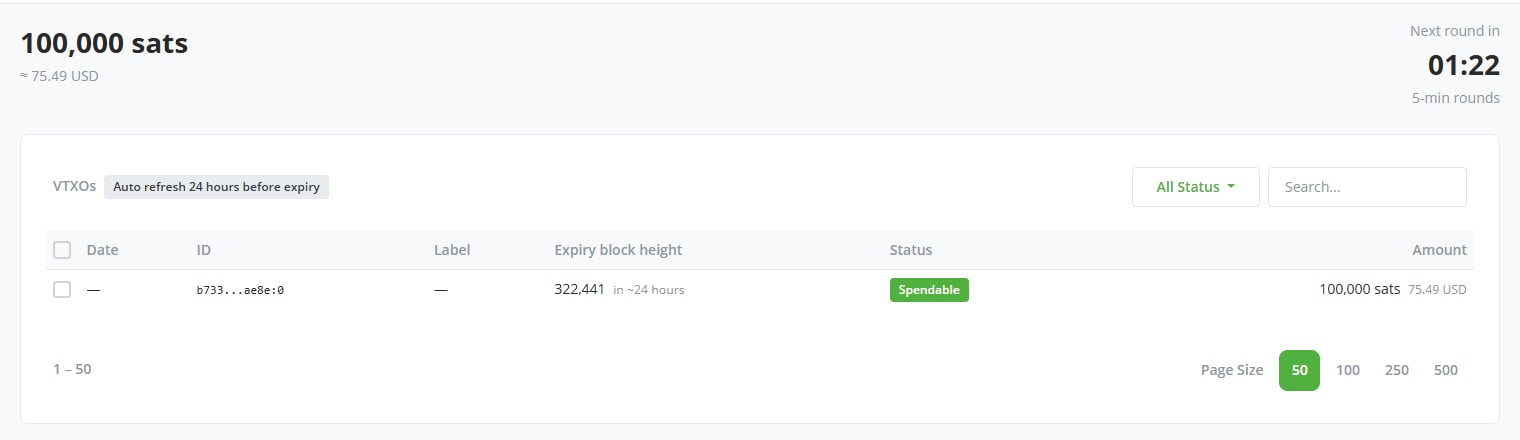
The plugin refreshes VTXOs for you
VTXOs have a limited lifetime: your wallet must periodically refresh them before expiry. A badge at the top of the list shows the current auto-refresh threshold. By default, the plugin refreshes any VTXO whose lifetime drops below one day, which keeps automatic refreshes free. You can widen the threshold, or set the wallet to refresh every VTXO right after it’s received, in settings. The plugin submits queued refreshes to rounds. The countdown at the top of the page shows when the next round starts, and how often the Ark server runs them. If an automatic refresh fails, or a VTXO gets within half the threshold of expiry before the plugin refreshes it, BTCPay sends you a VTXO refresh alert notification. It asks you to refresh manually.Refresh, offboard, or exit manually
You may sometimes want granular control over your VTXOs. For example, if you receive a particularly large VTXO, you might prefer to refresh it before it reaches the refresh threshold, or to bring its bitcoin on-chain. To act on individual VTXOs, select one or more in the list, then select an action in the bar that appears at the bottom of the page:- Refresh: Mark the selected VTXOs for refresh in the next round. You forfeit the selected VTXOs and receive fresh ones.
- Offboard: Make an on-chain payment from the selected VTXOs. Leave Destination address empty to deliver the bitcoin to your Bark on-chain wallet. Select Use BTCPay Server wallet to deliver it to your store’s regular wallet instead, or paste any on-chain address. Once an address is in the field, the dialog quotes the fee and the amount you receive. BTCPay notifies you when the payment completes.
- Emergency Exit: Reclaim the selected VTXOs’ bitcoin on-chain without the Ark server’s cooperation: the per-VTXO version of the emergency exit, with the same warnings.
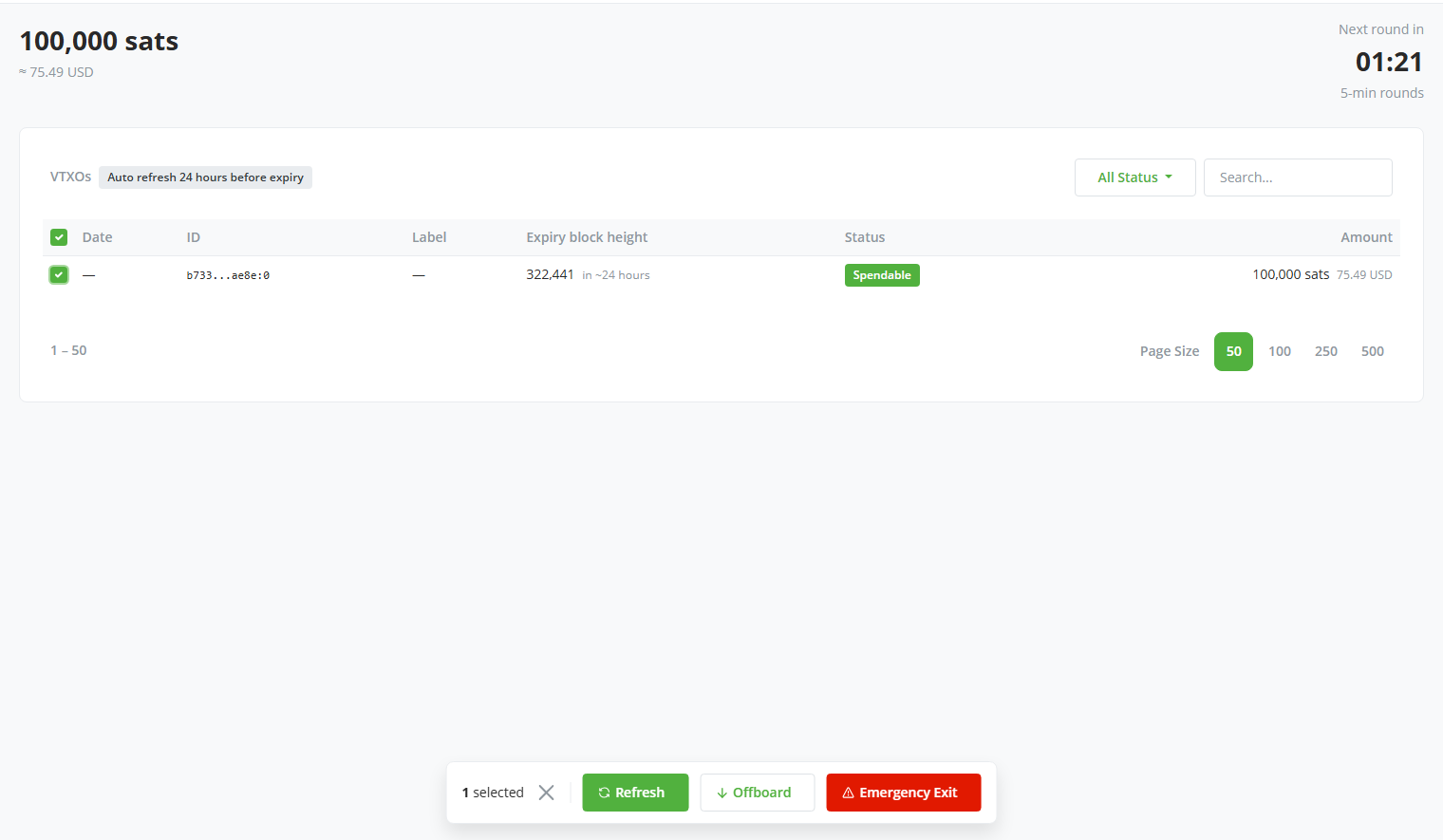
Selecting VTXOs brings up the Refresh, Offboard, and Emergency Exit actions
On Second’s server, refreshing is free during a VTXO’s final two days of lifetime. Refreshing earlier costs liquidity fees. The plugin deducts the offboard fee, on-chain fee included, from the offboarded amount.